Make it yours
Widgets in the side panel
Under Recents there is room for small live views: a price you watch, your open trades, a news briefing, a count. Each one is a widget, and you make one by asking for it in a chat. For example: *"put SPY's price and the call wall in a widget in my side panel"*.
Atlas builds it inside the chat's project, and it shows under Recents a moment later. It keeps itself up to date while the project runs.
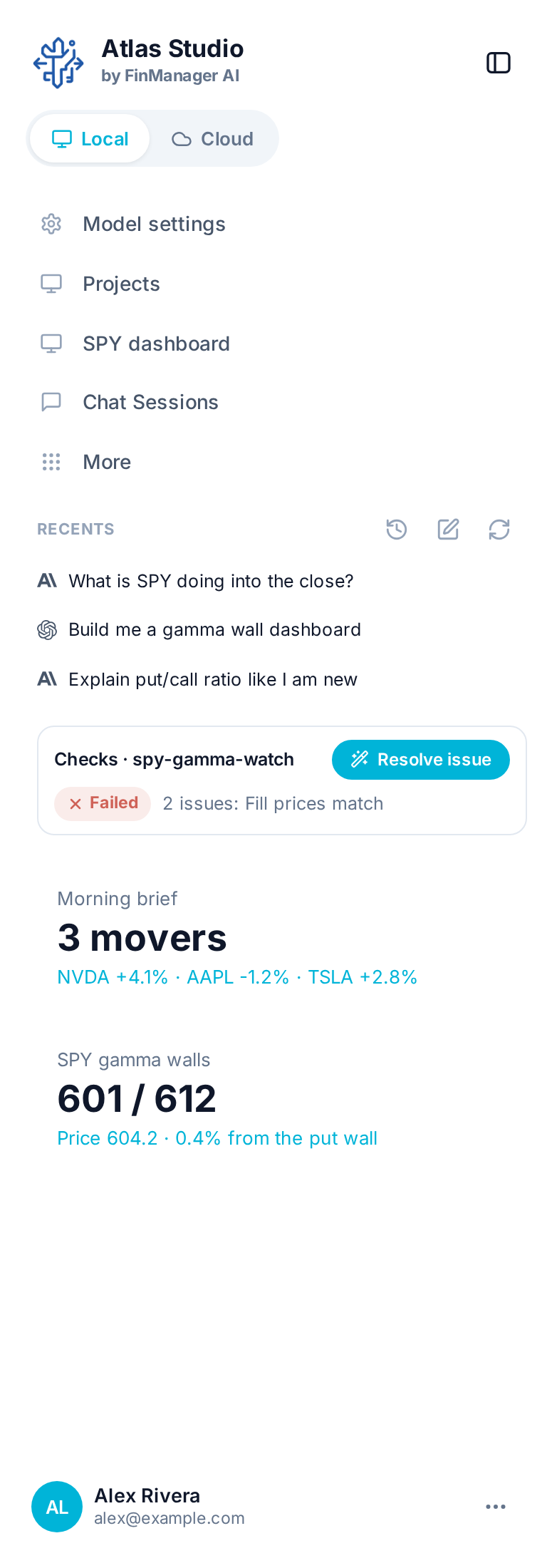
- Change one by asking in a chat, like "show QQQ too".
- Move one by holding its ... and dragging it up or down.
- Remove one with its ... → Remove.
- When projects are not running on this computer (see Local Mode), the widget fades and says As of the last time it was updated.
- With the menu folded, or without a plan, widgets are not shown.
Tip
Widgets are made in Atlas Studio and stay in Atlas Studio. The website and the phone apps have their own side panel widgets.
Need help? Email accesspoint@finmanagerai.com.