Models
Add your own model
Have a key for another AI service, like OpenRouter, Groq, Azure or DeepSeek? Add it here and use it like any other model.
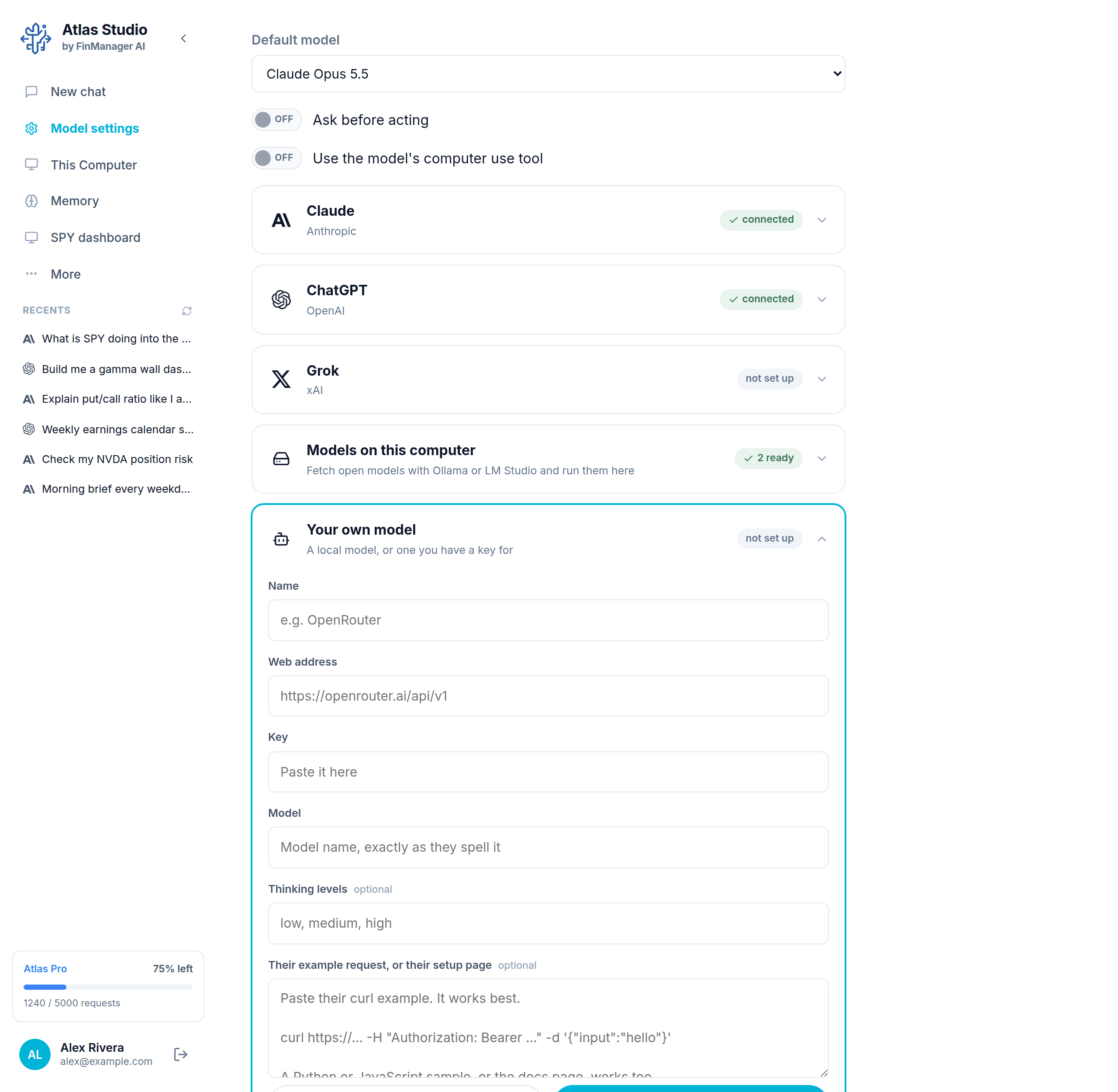
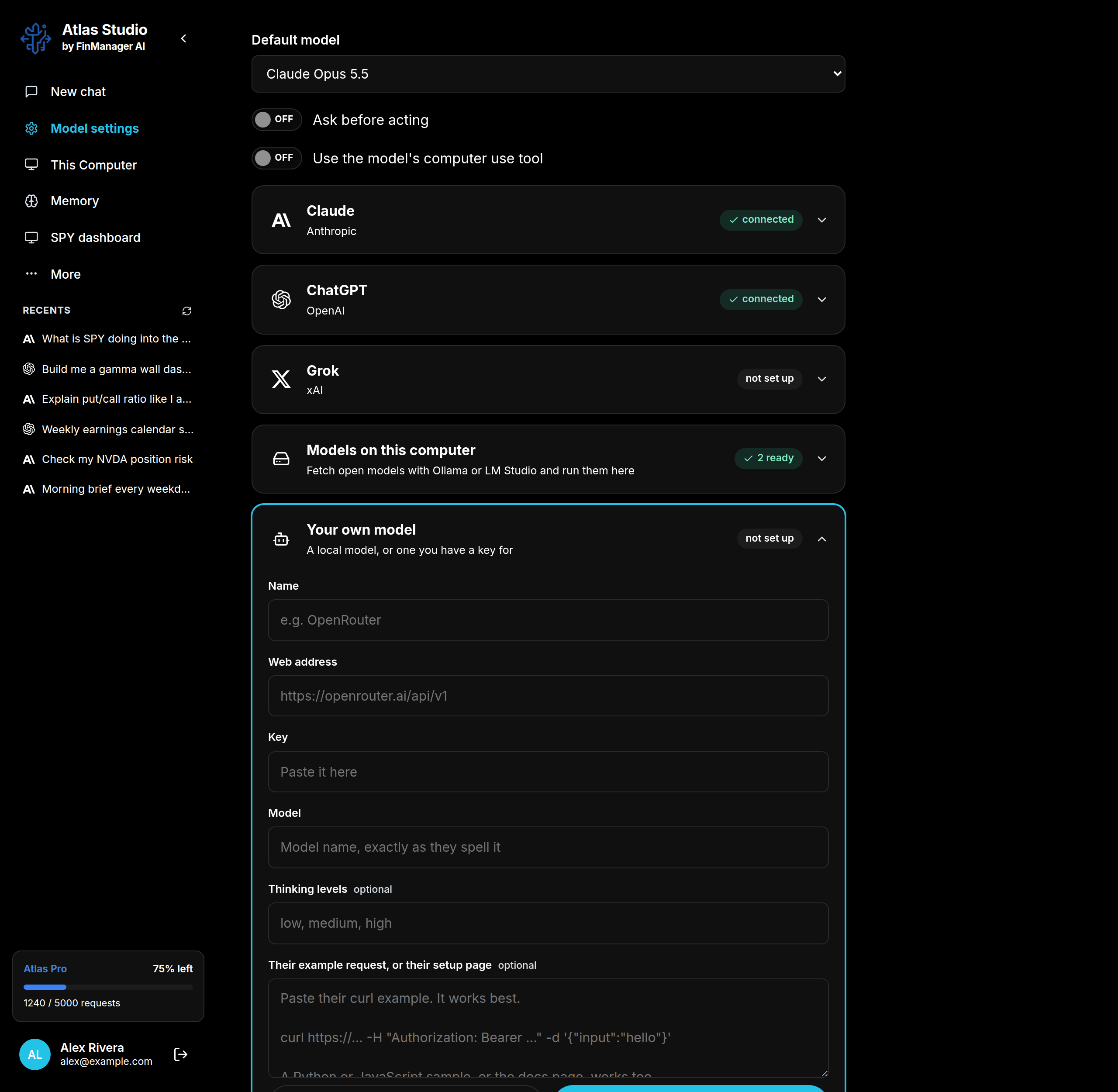
Open Model settings, click Your own model, then Add one.
Fill it in
| Box | What to put |
|---|---|
| Name | Any name you like. This is what you see in the chat. |
| Web address | The service's address, from its setup page. |
| Key | Your key from that service. |
| Model | The model's name, spelled exactly how the service spells it. |
| Thinking levels (optional) | If the service has levels like low, medium, high. |
| Their example request (optional) | Paste the example from the service's docs. |
Tip
The easiest way: copy the example request from the service's setup page (it usually starts with curl) and paste it into the last box. Atlas reads the address and details out of it for you. It only reads it; it never runs it.
Press Add it. Atlas tests the model before saving it and tells you if something is wrong. When it says the model is ready to use, press Done.
After that
- It shows in the chat's model list under the name you gave it.
- Edit changes it. Remove deletes it straight away.
- To add a second model from the same service, add another entry.