Get started
What is Atlas Studio
Atlas Studio is the Atlas app for your own computer. It works on Windows and Mac. Download it here.
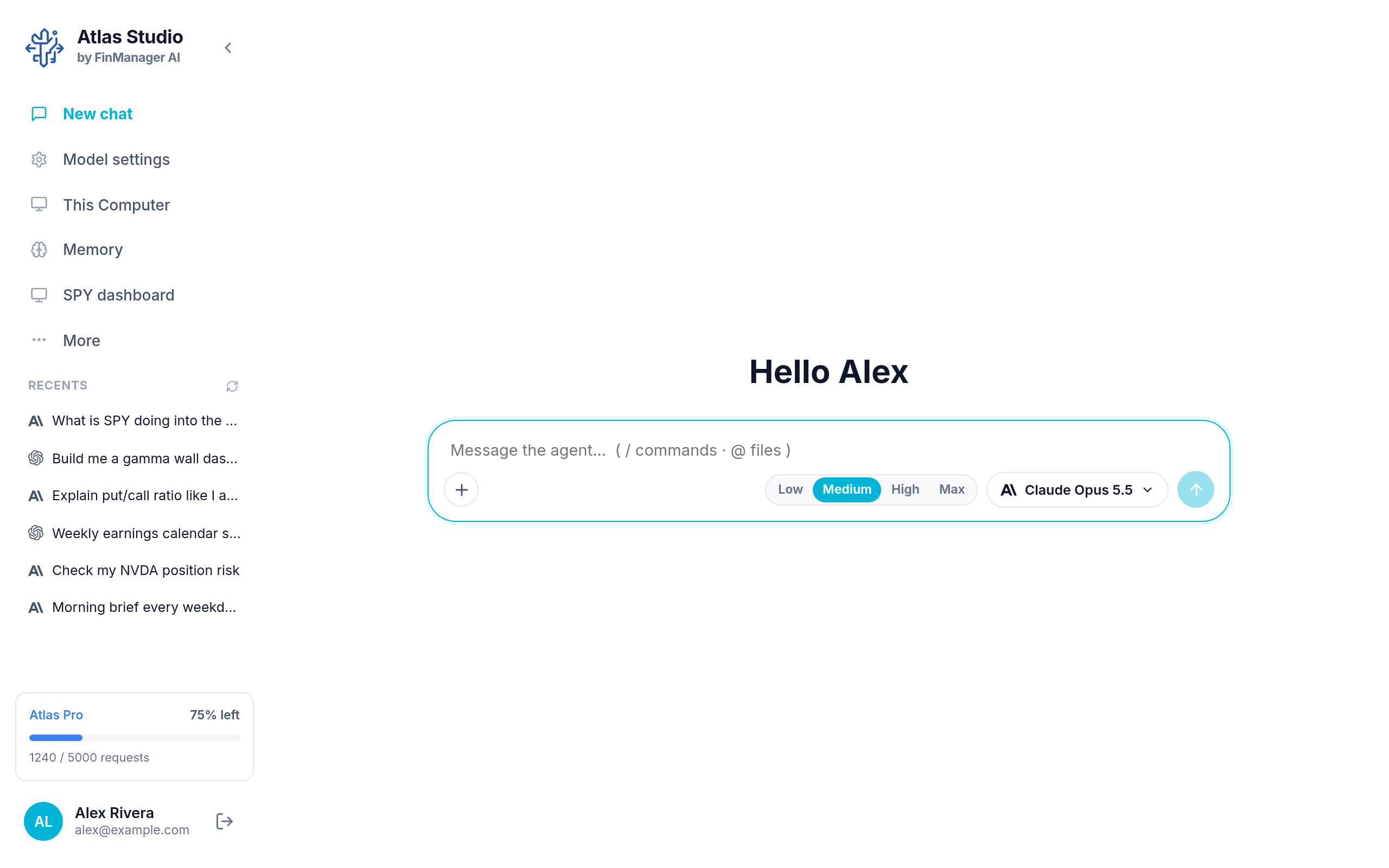
You chat with an AI model in it, the same way you would in ChatGPT or Claude. The difference is that the chat can also do things on your computer: make and run your own small projects, show them on a dashboard, remember what matters to you, and, if you allow it, use your screen and mouse.
What you can do with it
- Chat with Claude, ChatGPT, Grok, a model you run on your own computer, or a team of models working together.
- Build projects by describing them. For example: "every 5 minutes, check SPY and message me on Discord if it gets near a big level". Atlas writes it, runs it on a schedule and gives it a dashboard.
- Keep memories, so you do not have to repeat yourself in every chat.
- Connect your other apps, like Gmail or Notion, so a chat can use them.
- Let Atlas use your computer to click and type for you, and watch it happen.
Down the left
| Where | What it is for |
|---|---|
| New chat | Start a conversation. You pick a project first. |
| Model settings | Sign in to your models and pick the one a new chat uses. |
| This Computer | Your projects, their files, dashboards and chats. |
| Memory | What Atlas remembers about you. |
| More | Anything that did not fit. See Arrange the sidebar. |
| Recents | Your latest chats. Click one to go back to it. |
| Your name (bottom) | Opens your Profile. |
At the very bottom you also see your plan and how much of it you have left this month.
Tip
Atlas Studio and the web dashboard use the same Atlas account. Your alerts, workflows and signals live on the web. Studio is where things run on your computer. If you are looking for how the website works, see the web docs.