This Computer
This Computer and Local Mode
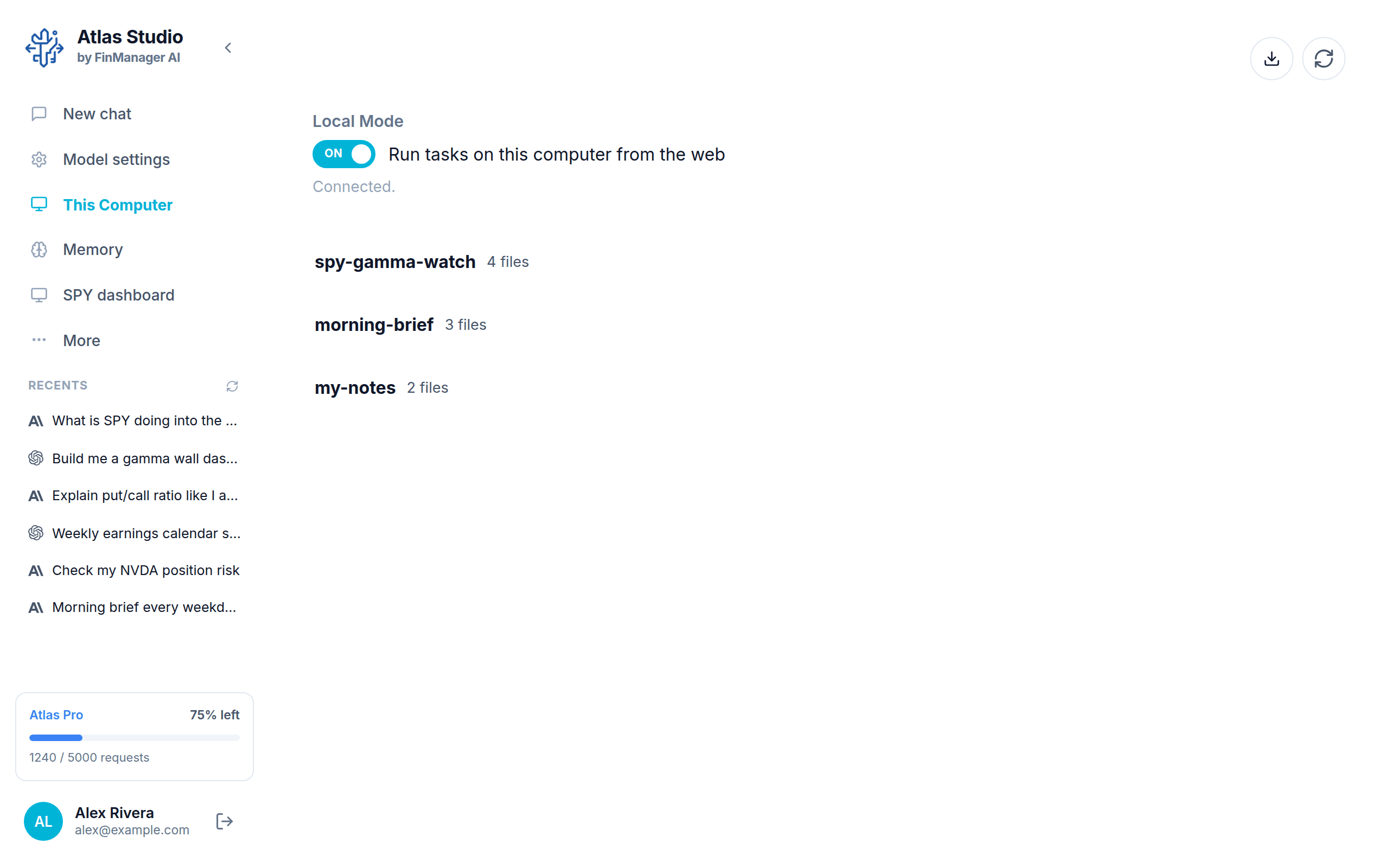
Click This Computer in the left menu. It lists every project on this computer.
Local Mode
The switch at the top, Run tasks on this computer from the web, is Local Mode.
- On: your projects can run on this computer, and you can start and watch them from the web dashboard or your phone too. Under the switch it says Connected. when everything is working.
- Off: nothing runs on this computer.
Heads up
If your projects are not running, check this switch first.
Your projects
Each row is one project, with how many files it has. A Paused tag means it is not running on its schedule right now.
| Button on a row | What it does |
|---|---|
| Share | Share the project with someone. See Share and import. |
| Bin | Delete the project and everything in it. Atlas asks first. |
At the top right:
| Button | What it does |
|---|---|
| Download | Open a project someone shared with you. |
| Refresh | Re-read the list, and check shared projects for updates. |
Where do projects come from?
You make a project by starting a new chat and typing a new name. Then you describe what you want, and the model builds it in that project.
Click a project to open it. See Inside a project.
Note
Projects only run while Atlas Studio is open. See Keep it running.