Build your own trading bot. Just ask.
Atlas Studio turns one sentence into a working trading bot, AI agent or investing tool that runs on your own computer. No code, no servers, no setup.
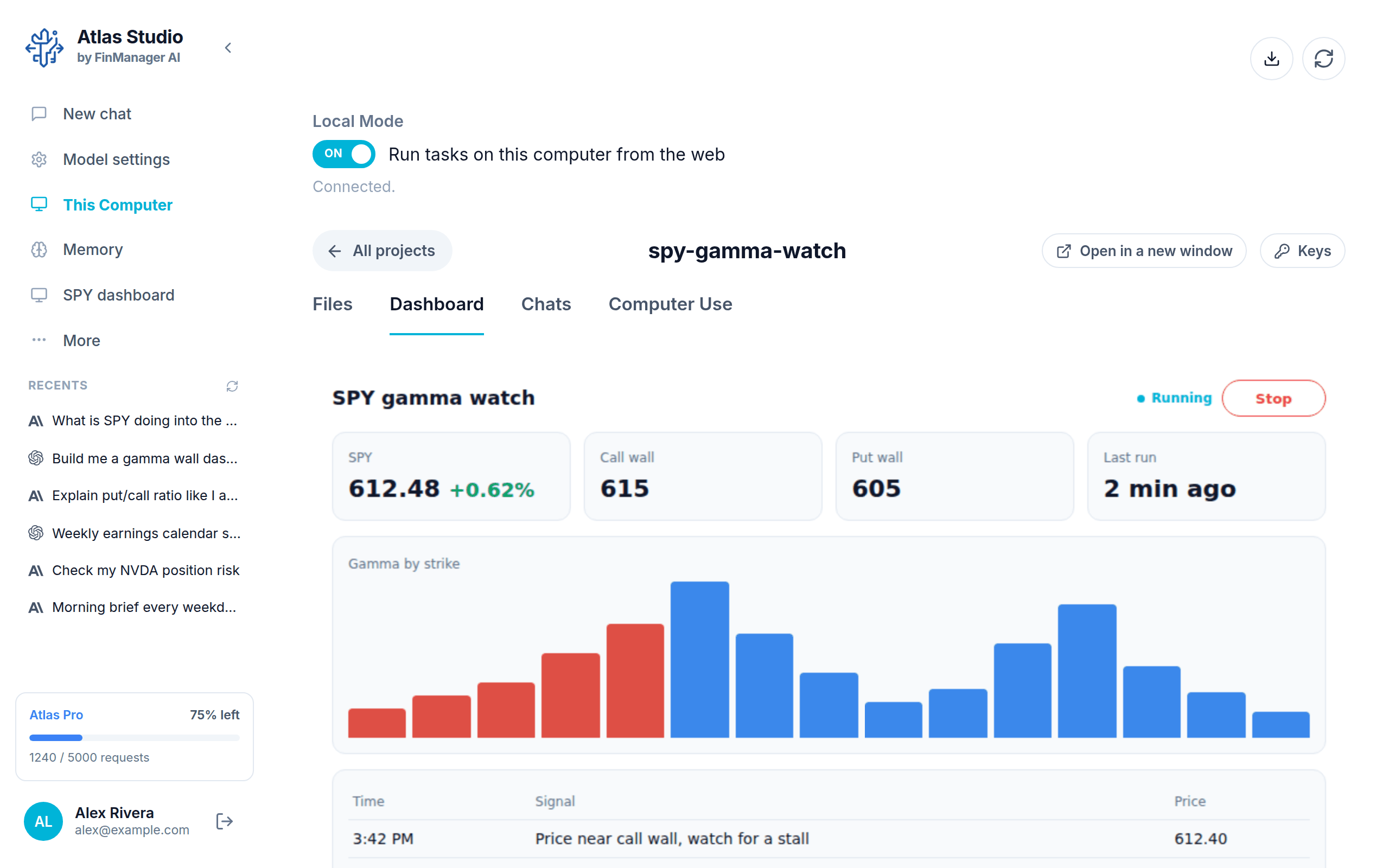
Say what you want. Get a tool that works.
You type it the way you would say it to a friend. Atlas Studio builds it, runs it and shows it to you.
Three steps. That is all.
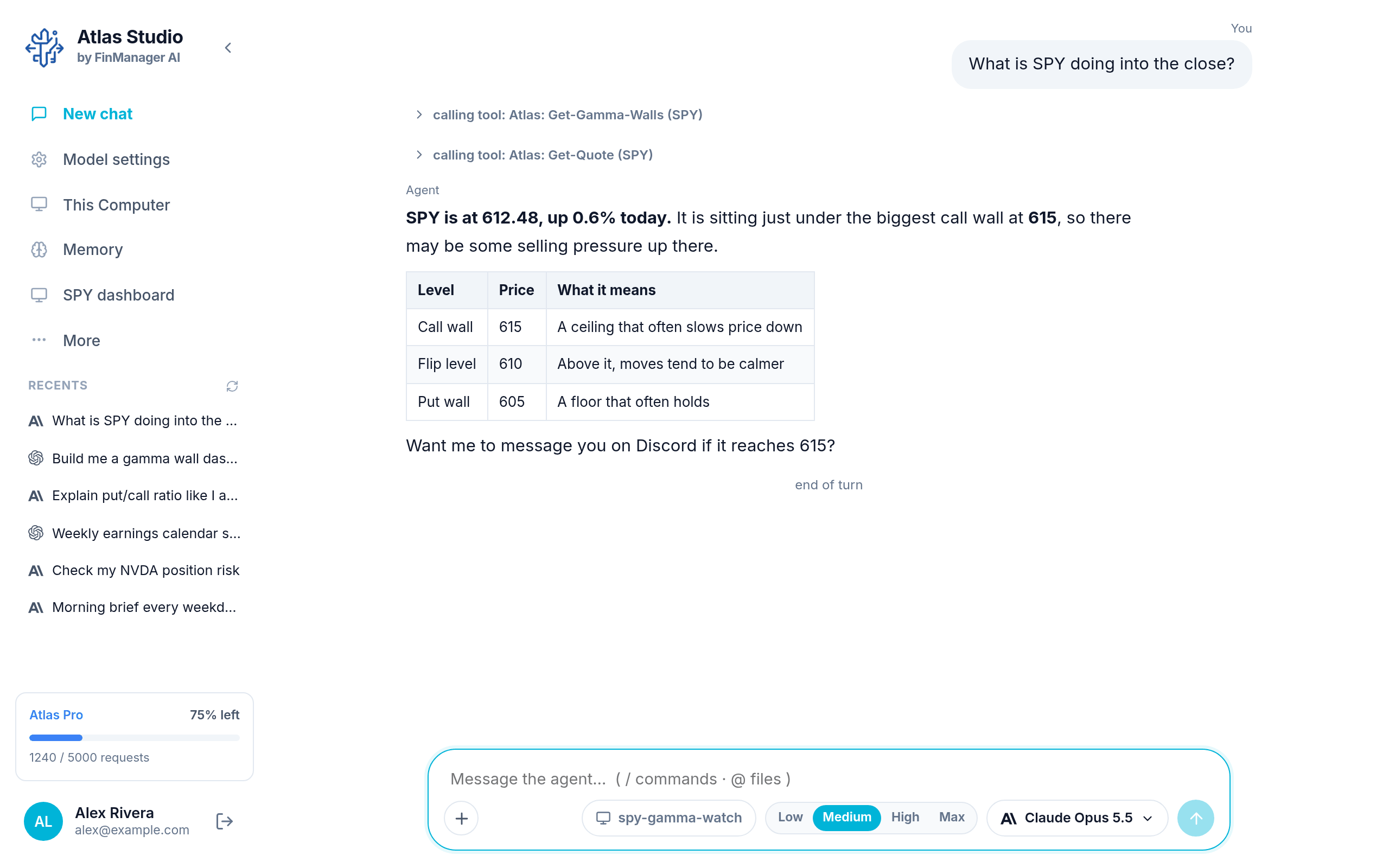
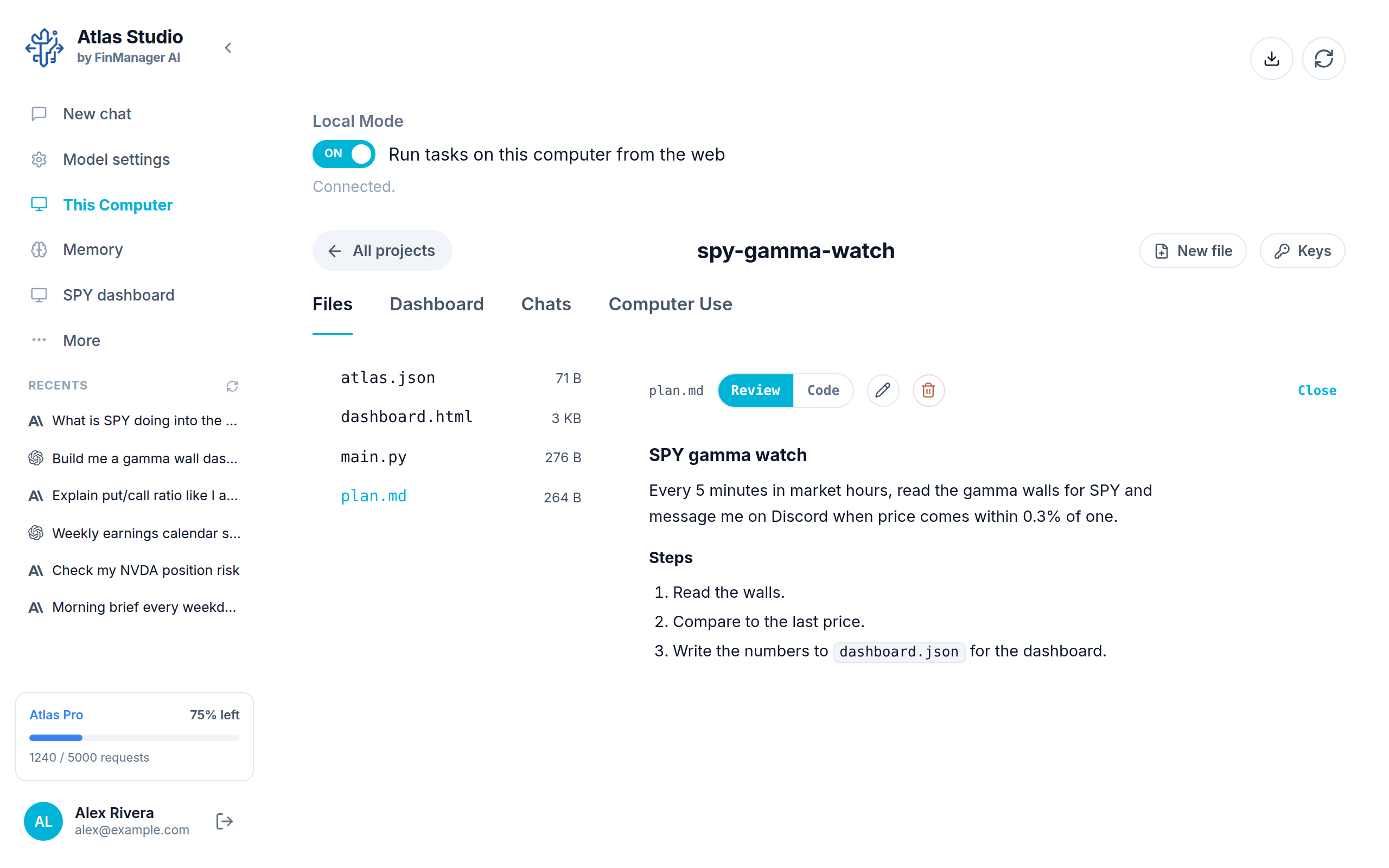
Made for trading, so the hard parts are already done.
A normal AI app can write you some code. Then you are on your own: find market data, connect a broker, keep a computer running, build a screen to watch it. Atlas Studio comes with all of that.
Why not just use a chat app, or code it yourself?
Because a bot is more than the code. Here is what you get with each.
| Atlas Studio | Chat apps | Coding it yourself | Bot-builder websites | |
|---|---|---|---|---|
| Build a tool just by describing it | ✓ | Gives you code to run | ✕ | Fill in their forms |
| Keeps running on a schedule | ✓ | ✕ | If you run a server | ✓ |
| Live stock and options data included | ✓ | ✕ | Buy and connect it | Some |
| Places trades with your broker | ✓ | ✕ | Build it yourself | Some brokers |
| A live dashboard for each tool | ✓ | ✕ | Build it yourself | Their template |
| Change it by just asking | ✓ | Start over | Edit the code | Redo the form |
| Any AI model, even free ones | ✓ | Their own only | ✓ | ✕ |
| Your code and keys stay on your computer | ✓ | ✕ | ✓ | ✕ |
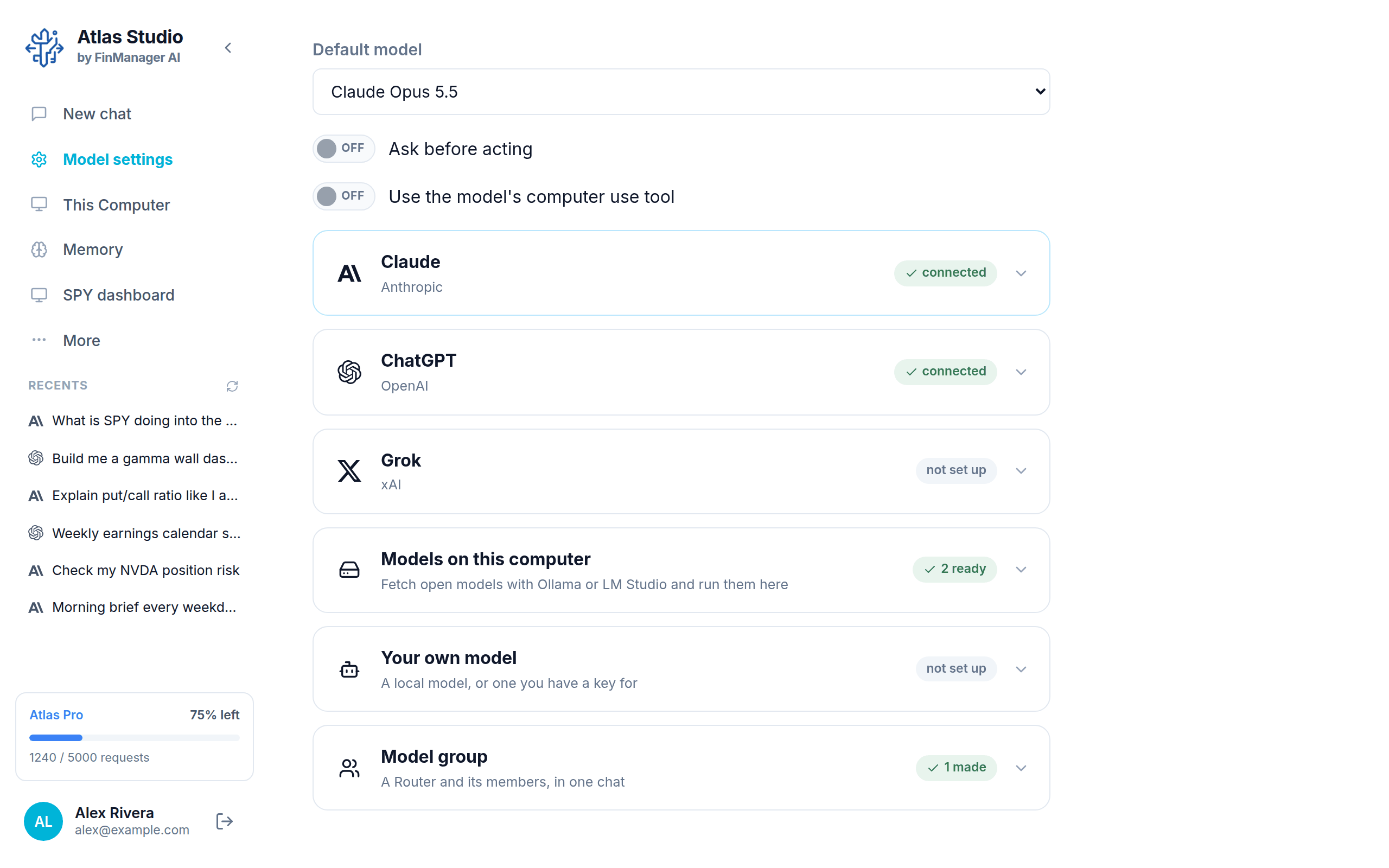
Use the AI you already pay for. Or a free one.
Sign in with your Claude or ChatGPT account and use it here. Grok works too. So does a free model that runs on your own computer, any model you have a key for, or a team of models that split the work between them. Switch any time.
Your computer. Your keys. Your rules.
Download Atlas Studio
Free to download.
On a Mac, the first time you open it: System Settings → Privacy & Security → Open Anyway. Install help
Questions
Do I need to know how to code?
No. You describe what you want in plain words. Atlas Studio writes and runs everything. If you want a change, you ask for it.
What does it cost?
The download is free. It uses your Atlas account, which has a free plan, and the AI model you choose, such as your own Claude or ChatGPT account, or a free model on your computer.
Will it trade real money?
Only if you connect a broker and tell it to. You set the size, the stop loss and the limits. You can also have it send you the trade to place yourself, or only give you analysis.
Does it run when my computer is off?
No. Your tools run while Atlas Studio is open. Close the window and choose “Keep running” to leave it working in the background.
Which AI models can I use?
Claude and ChatGPT (sign in with your account), Grok, free open models that run on your own computer, and any other model you have a key for. You can even put several in one chat as a team.
Is it the same as Atlas on the web?
Same account, same alerts and brokers. The web dashboard is for plans that run in the cloud. Atlas Studio is for tools that you build and run on your own computer.
Everything else is in the Atlas Studio guide.