What's new
New on Nov 7, 2026
Here is what changed, in one minute. Each line opens its own page with pictures.
| What | In short |
|---|---|
| Trade settings | One sheet for how a workflow's trades are placed for you: account, size (the same for all, or per trade), auto sizing, filters, exits, messages. First line of a workflow's More. |
| Size and auto sizing | One Contracts row on every trade: a number ("3") or money ("up to $500"). Auto sizing puts in less after losses and more after wins. |
| Circuit breaker | Pause trading for the day when the day's loss, or profit, reaches your number. Comes back by itself. |
| Advanced filters | 28 rules for which trades are taken for you: only SPY, nothing over $3 a contract, not on FOMC days, and more. |
| The browser | One browser for you, a tab for each chat or agent. It stays open until you close it. Full screen on a phone turns sideways. |
| Agents that fix things | Your Account Manager fixes small, safe things itself, tells the Atlas team when Atlas is broken, and can open a session on your computer. |
Also new:
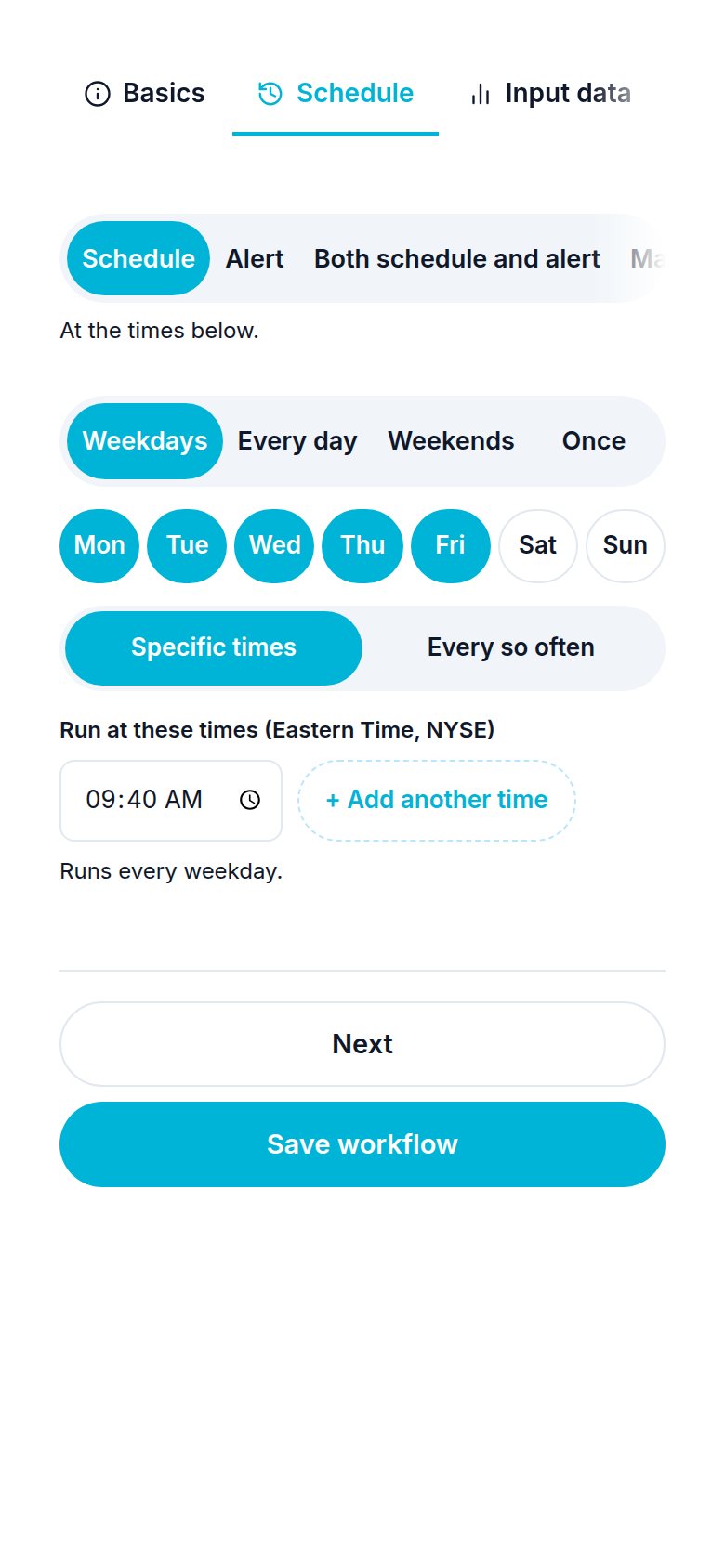
- Schedules run at least 2 minutes apart. "Every minute" is not allowed any more, because an agent needs time to finish a run. Pick every 2 minutes or more, or use an alert.
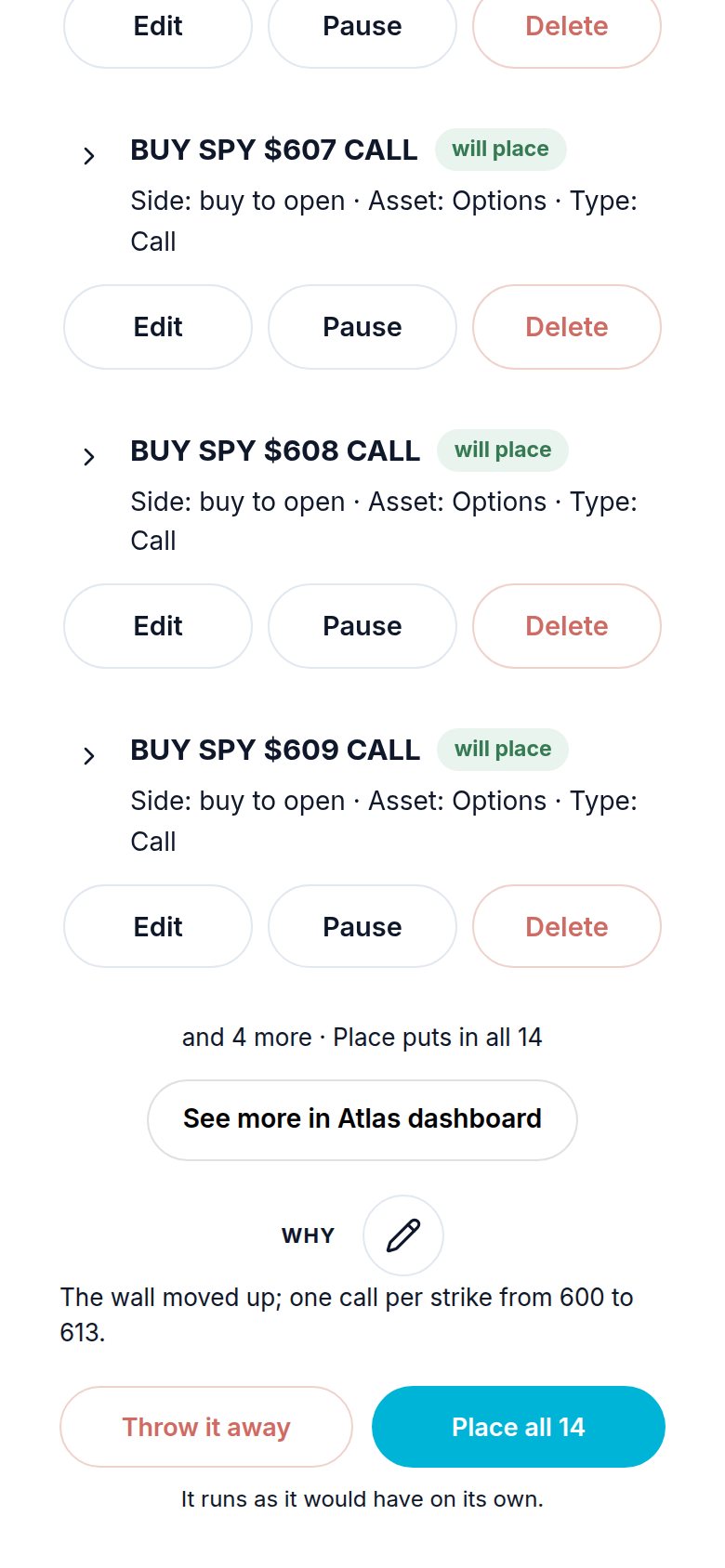
- Lists in the chat show 10 items, then a white See more in Atlas dashboard button that opens the full list in the dashboard.
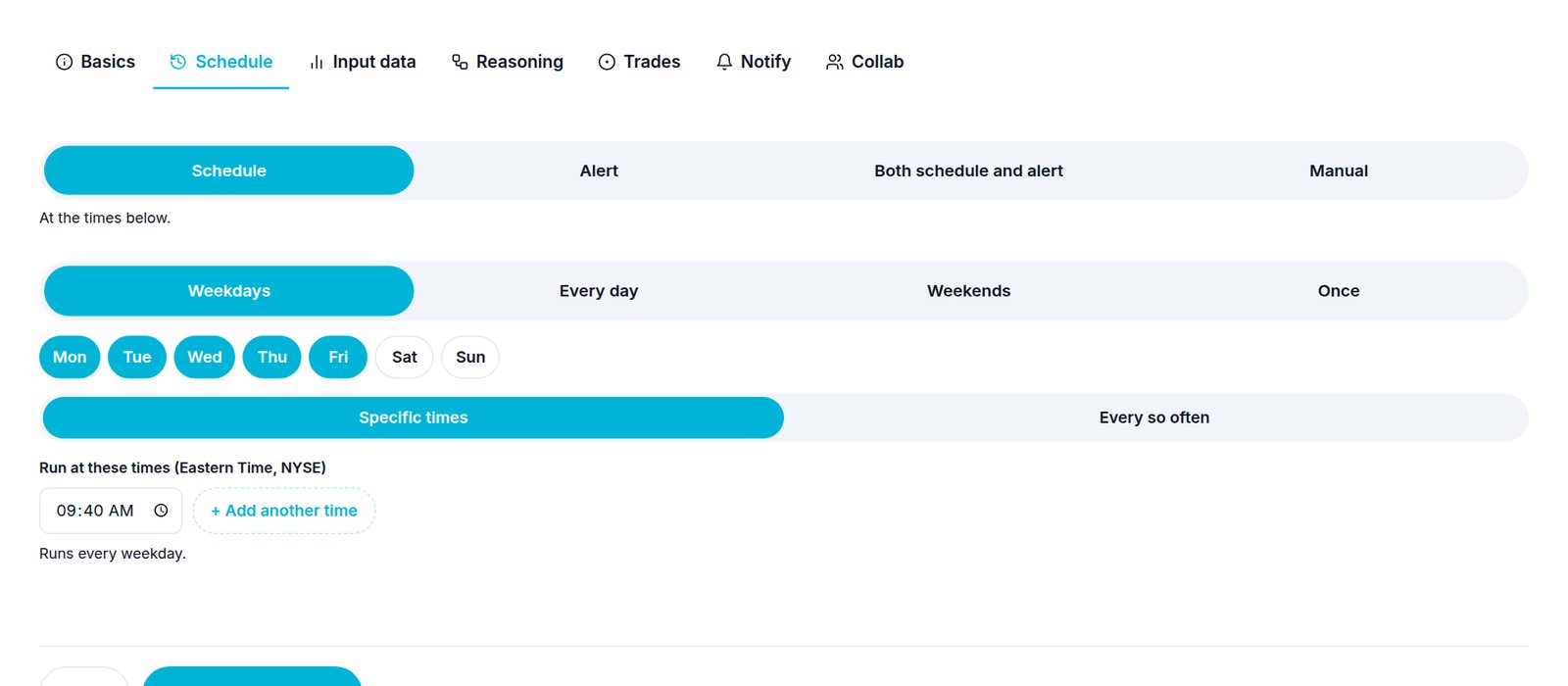
- A schedule is picked in rows: Weekdays, Every day, Weekends or Once, the days as round chips, then Specific times (each time a box, + Add another time) or Every so often.
- The voice starts the moment you press it. Start talking straight away; nothing you say while it connects is lost.
- Take everything at TP N and Take anyway: see Trade settings and Advanced filters.
Note
Every one of these can be done by asking the chat in your own words, for example "put $500 into each trade" or "stop for the day if I lose $300".
Need help? Email accesspoint@finmanagerai.com.