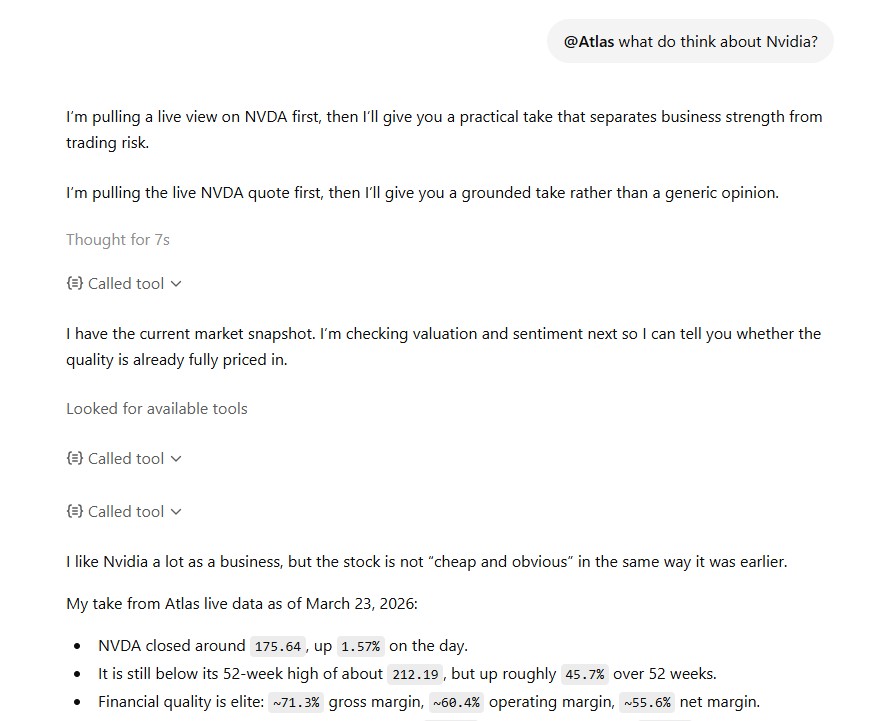
Connect Atlas
Add Atlas to ChatGPT

Add Atlas to ChatGPT. It takes about 2 minutes.
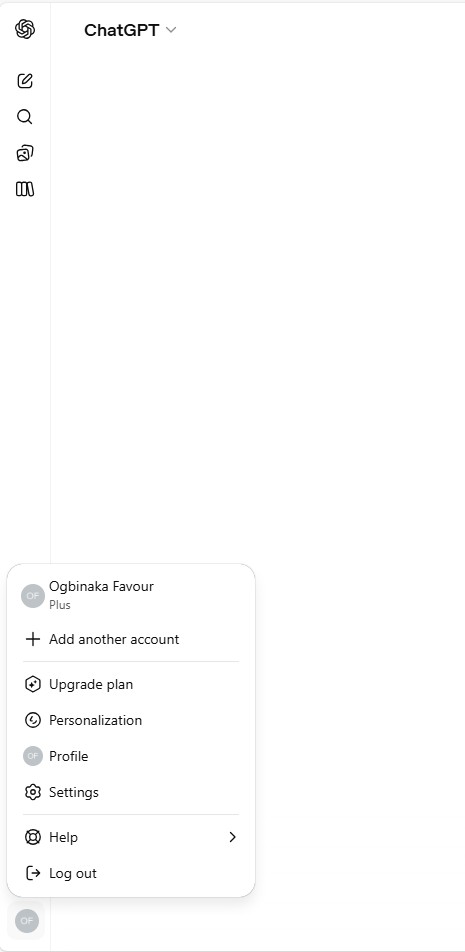
Step 1. Open Settings
Click your profile picture in the bottom left of ChatGPT, then click Settings.
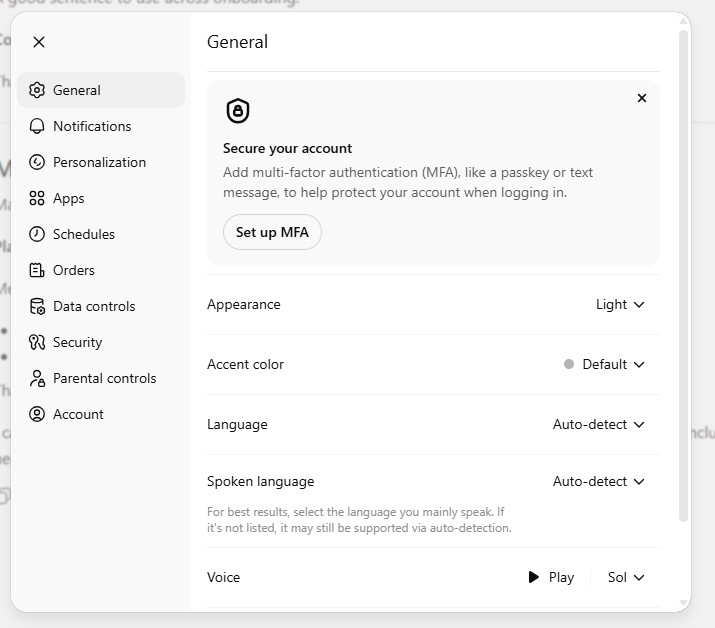
Step 2. Go to Apps
In Settings, click Apps on the left to manage your apps.
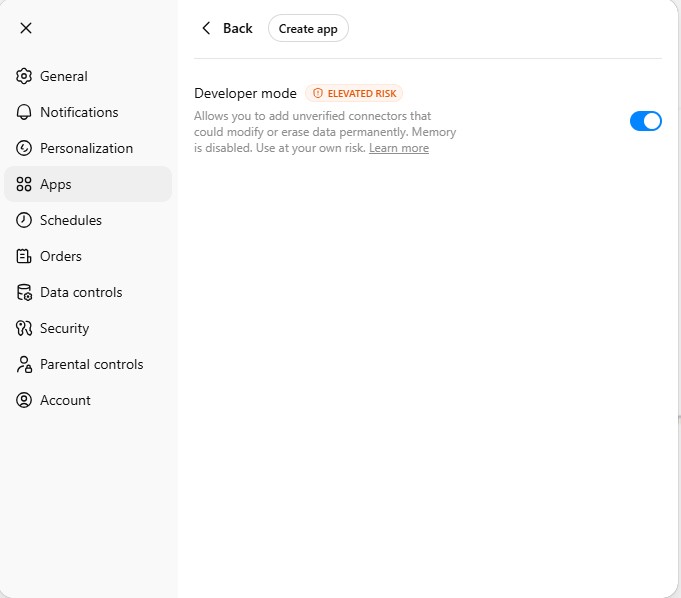
Step 3. Turn on Developer mode
Turn on Developer mode and click Create app.
Step 4. Fill in Atlas
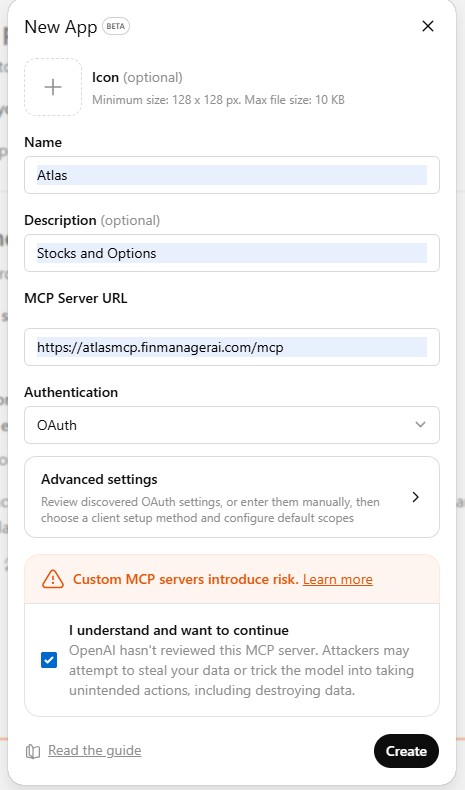
Type these in, check the box, and click Create:
- Name: Atlas
- Description: Stocks and Options
- Server link:
https://atlasmcp.finmanagerai.com/mcp - Sign in: OAuth
Step 5. Sign in to Atlas
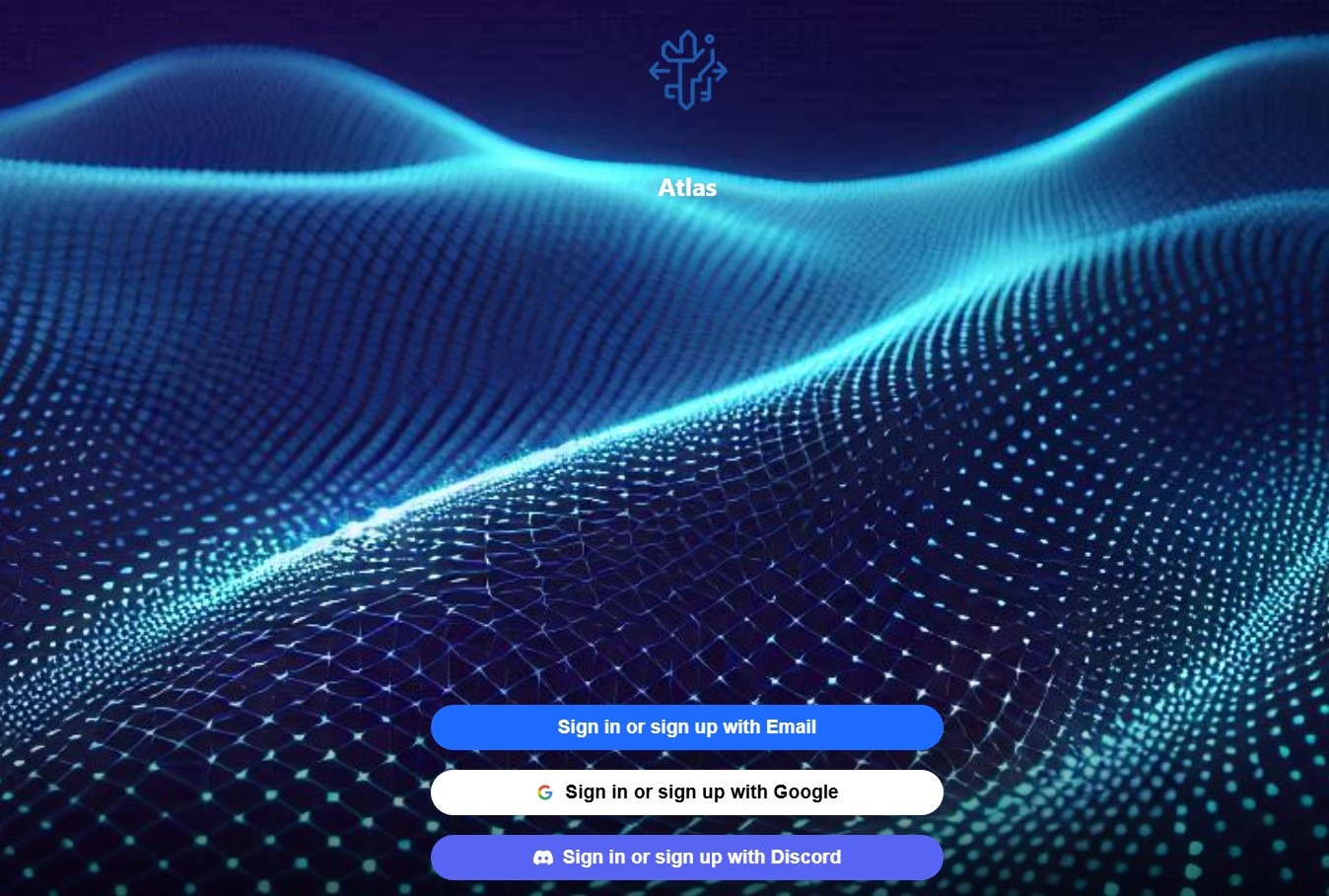
It sends you to the Atlas sign in page. Sign in with Email, Google, or Discord.
Step 6. Say yes
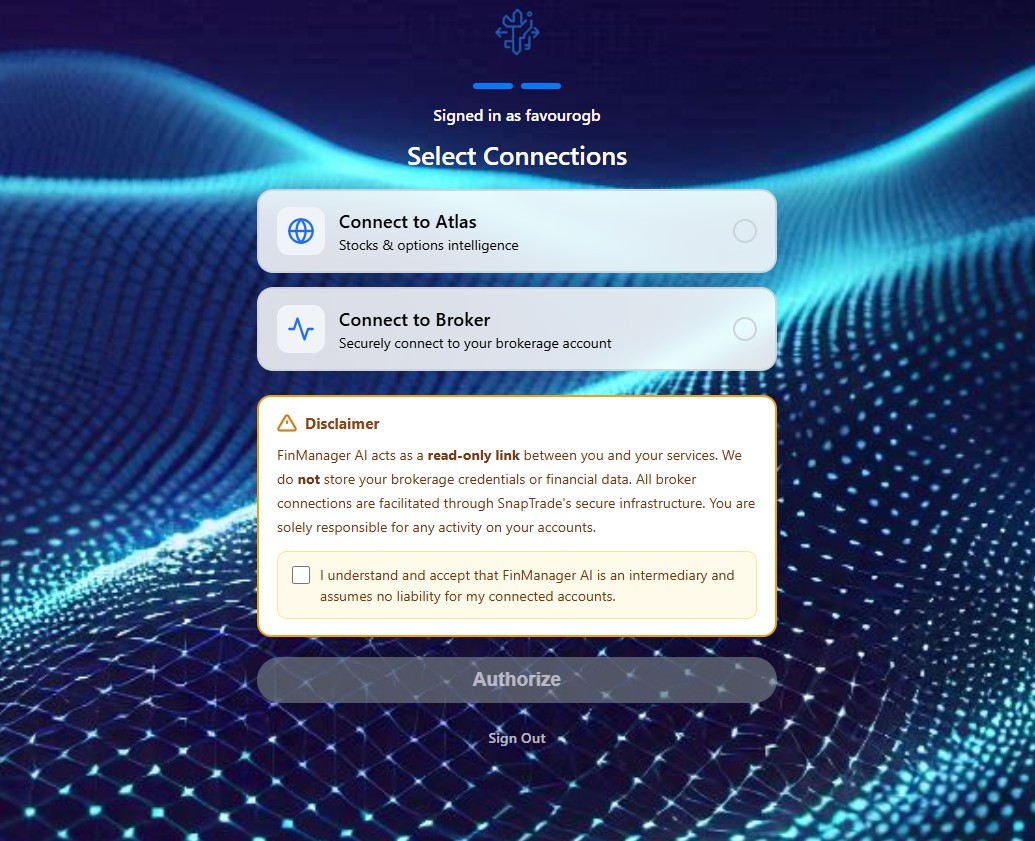
Click Connect to Atlas, agree, and click Authorize.
Step 7. Check it worked
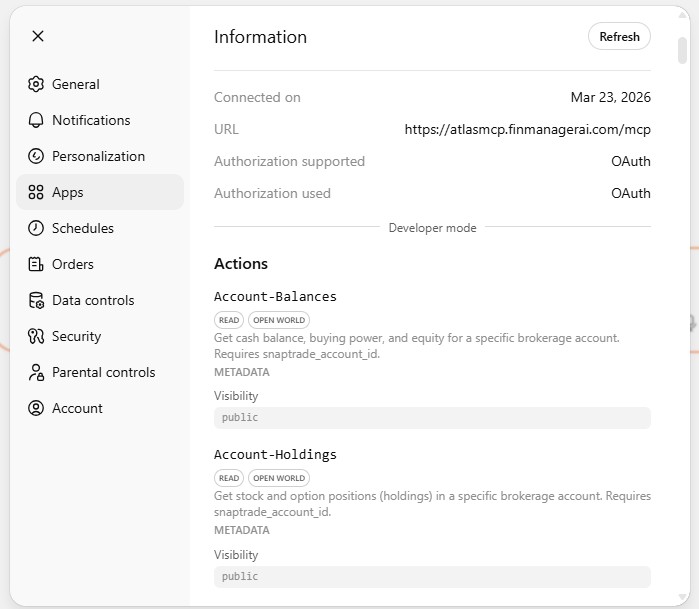
You should see the Atlas app in the list.
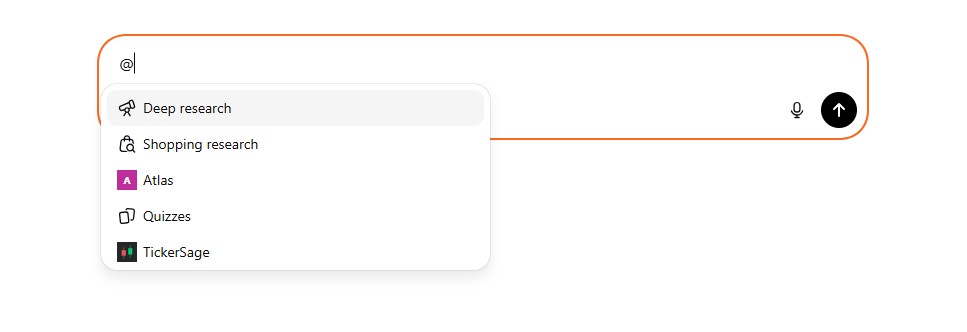
Step 8. Use Atlas in chat
In any chat, type @ and pick Atlas.
Step 9. Ask away
Ask Atlas anything: live quotes, company numbers, options flow, and more.