Using the dashboard
Workflows tab
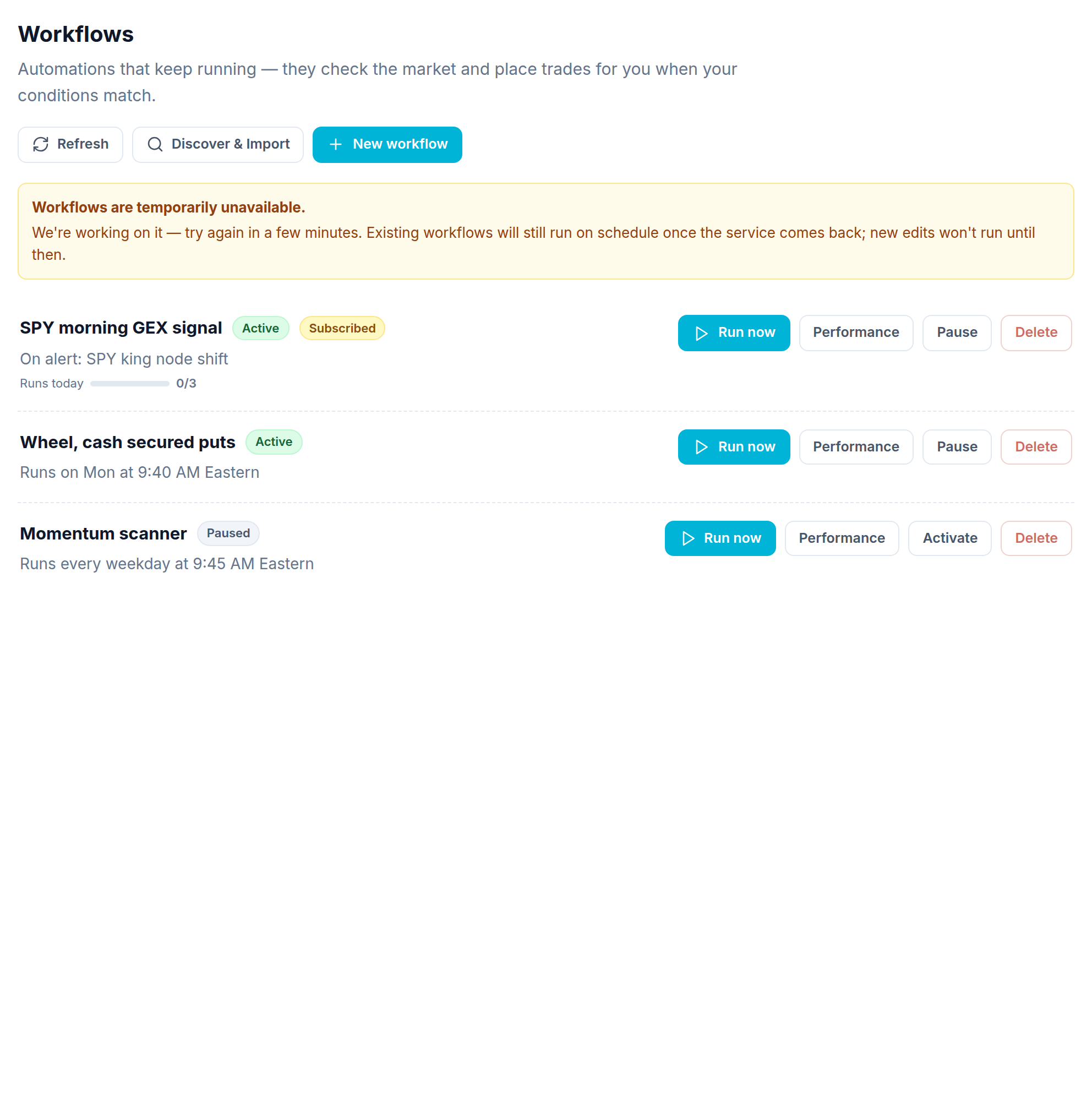
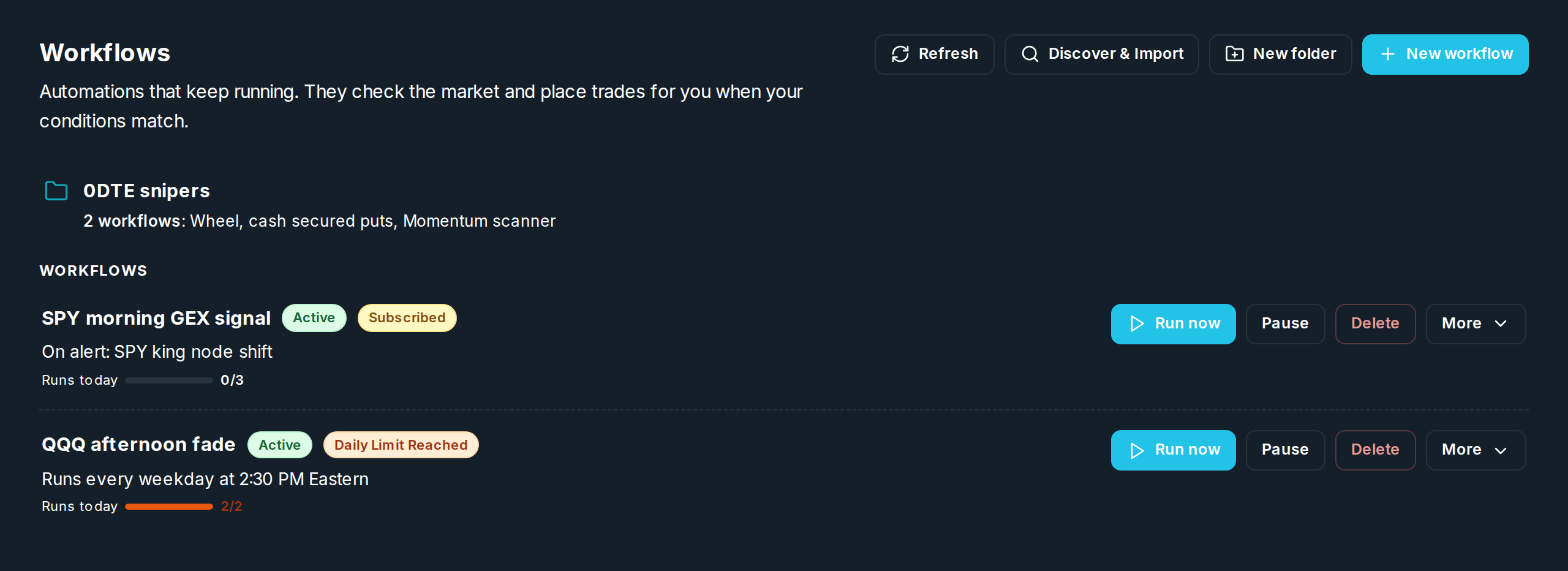
The Workflows tab shows your helpers as cards. This is where you make and manage them.
Reading a card
Folders sit at the top, then your loose cards. Each card shows:
- The name and a tag: Active (running) or Paused (stopped).
- What starts it: a schedule ("Runs every weekday at 2:30 PM Eastern") or an alert ("On alert: SPY king node shift").
- A daily limit bar ("Runs today 0/3") when a daily trade limit is set, plus a Daily Limit Reached tag once it is spent. The bar turns orange at the limit.
- A Subscribed tag if it is a copy of someone else's workflow.
Buttons on a card
| Button | What it does |
|---|---|
| Run now | Runs it right away. Running by hand does not count against the daily limit. |
| Pause / Activate | Stops or starts automatic runs. Turning it on resets today's count. |
| Delete | Removes the workflow. |
| More → Performance | See the profit and loss. |
| More → History | Every saved version. Open one to read it or go back to it. |
| More → Apply updates | On a copy that is behind: take the author's latest edits. |
At the top of the tab: Refresh, Discover & Import (browse shared and ready made workflows, and take a copy), New folder (see Folders), and New workflow (opens the workflow form).
Open a card to see its history, why it made each choice, and a picture of its flow.