Circuit breaker
The circuit breaker pauses trading for you when the day's closed trades lose, or make, as much as you say. It has its own switch on the Auto sizing page, under Change my size.
Step 1. Open Auto sizing
In a workflow's Trade settings, on its trade card, or in Trade settings for a signal group you follow or own, tap Auto sizing. (A workflow needs a budget for it; a signal group does not.)
Step 2. Turn on Circuit breaker and set your numbers
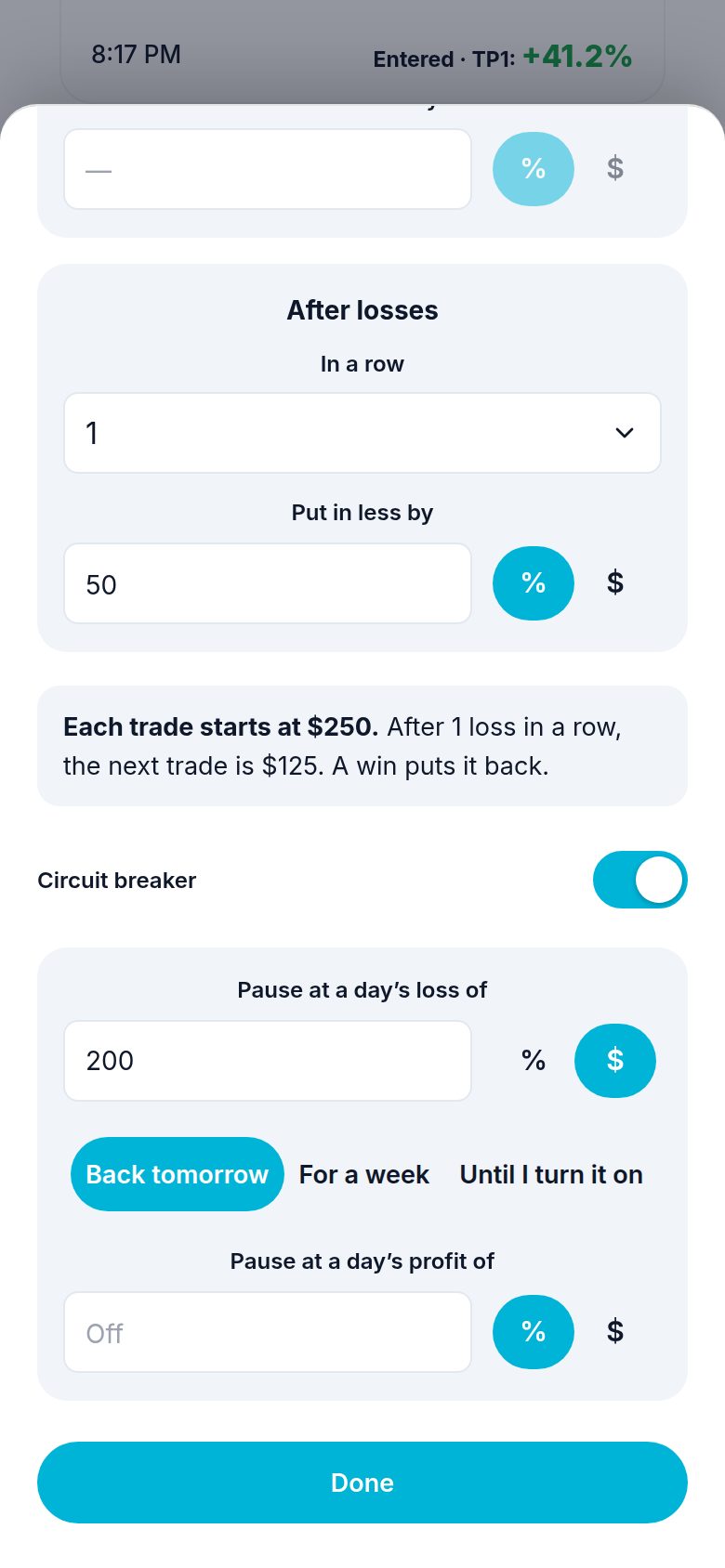
Switch on Circuit breaker. Two boxes appear:
- Pause at a day's loss of: a % of your account, or $.
- Pause at a day's profit of: the same, for a good day.
Leave one empty to keep it off.
Step 3. Pick how long
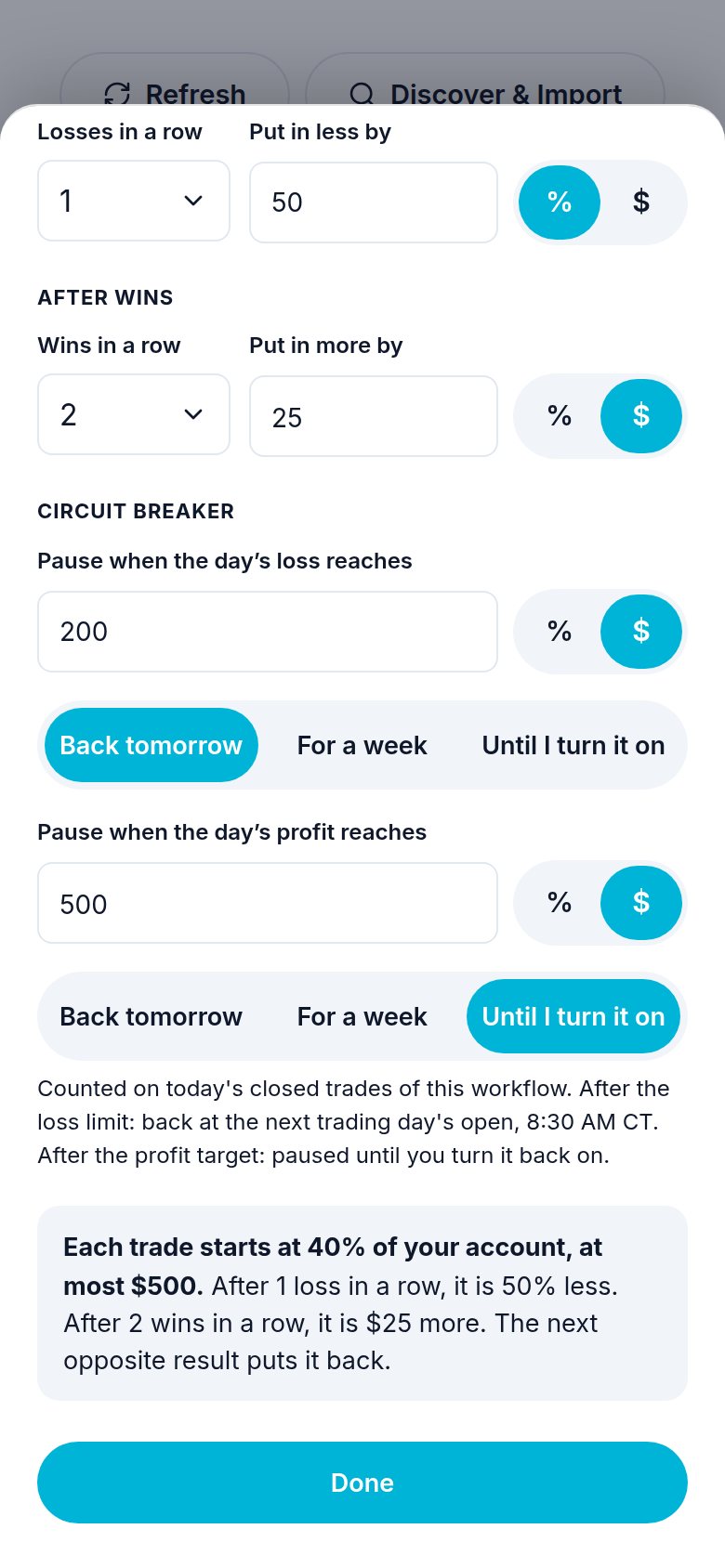
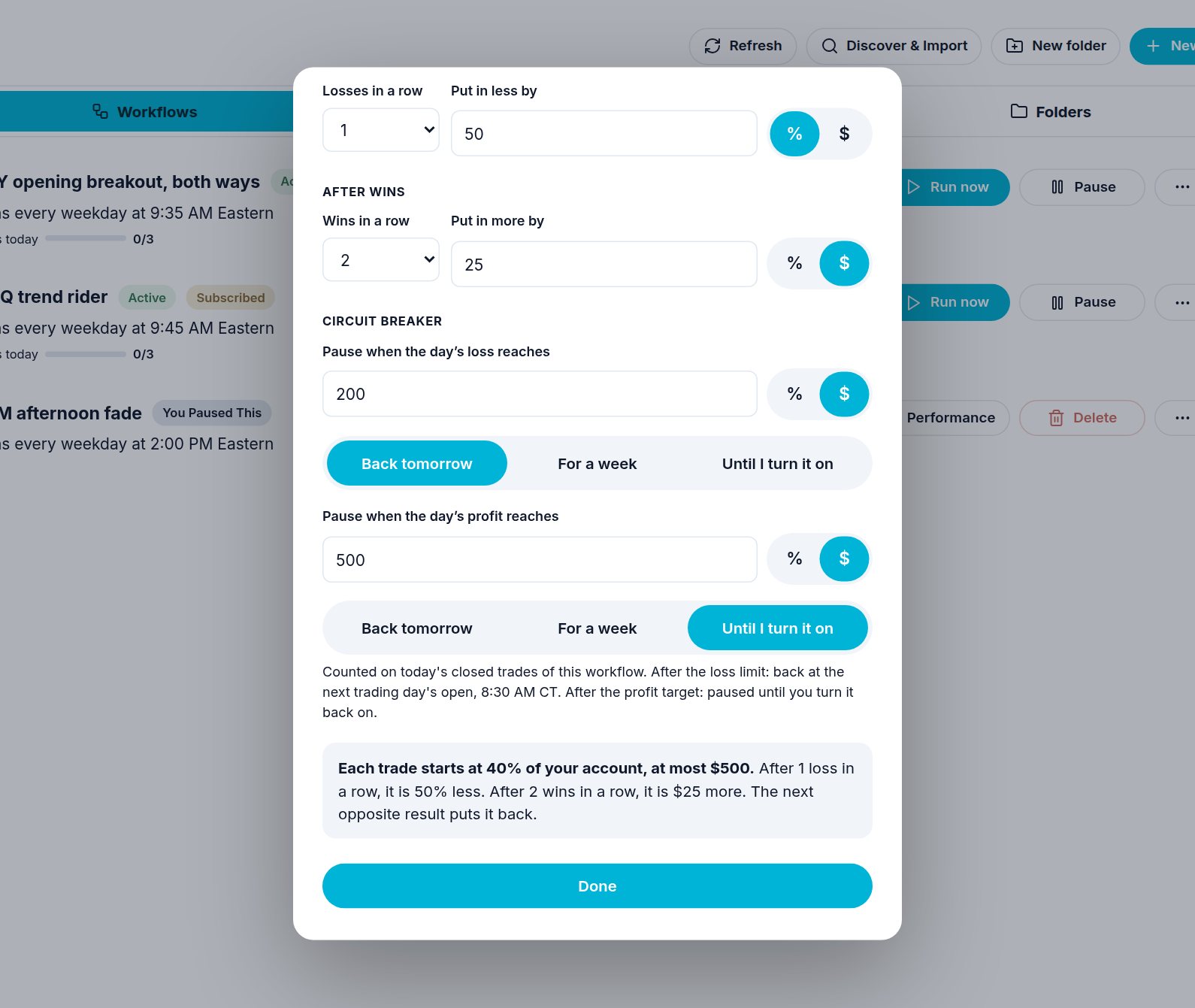
Once a number is typed, pick under it how long the pause lasts:
| Choice | Trading comes back |
|---|---|
| Back tomorrow | At the next trading day's open, 9:30 AM ET (Friday goes to Monday; market holidays are skipped). |
| For a week | At the open a week later. |
| Until I turn it on | Only when you turn it back on yourself. |
What happens when it trips
- Your workflow pauses. Trades already open keep their stops and targets.
- If people follow your workflow, it keeps running for them. Only your own trades are paused.
- A signal group you follow: automatic taking of that group's plays stops. You can still take a play by hand.
- A signal group you own: only your own order on new plays is not placed. Your plays still go to your followers. Turn your orders back on in the group's Trade settings, or ask the chat.
- You get one message that says why and until when, in your own time zone, for example "until tomorrow's open (8:30 AM CT)".
- At that time it comes back by itself, and you get one message that it is back on.
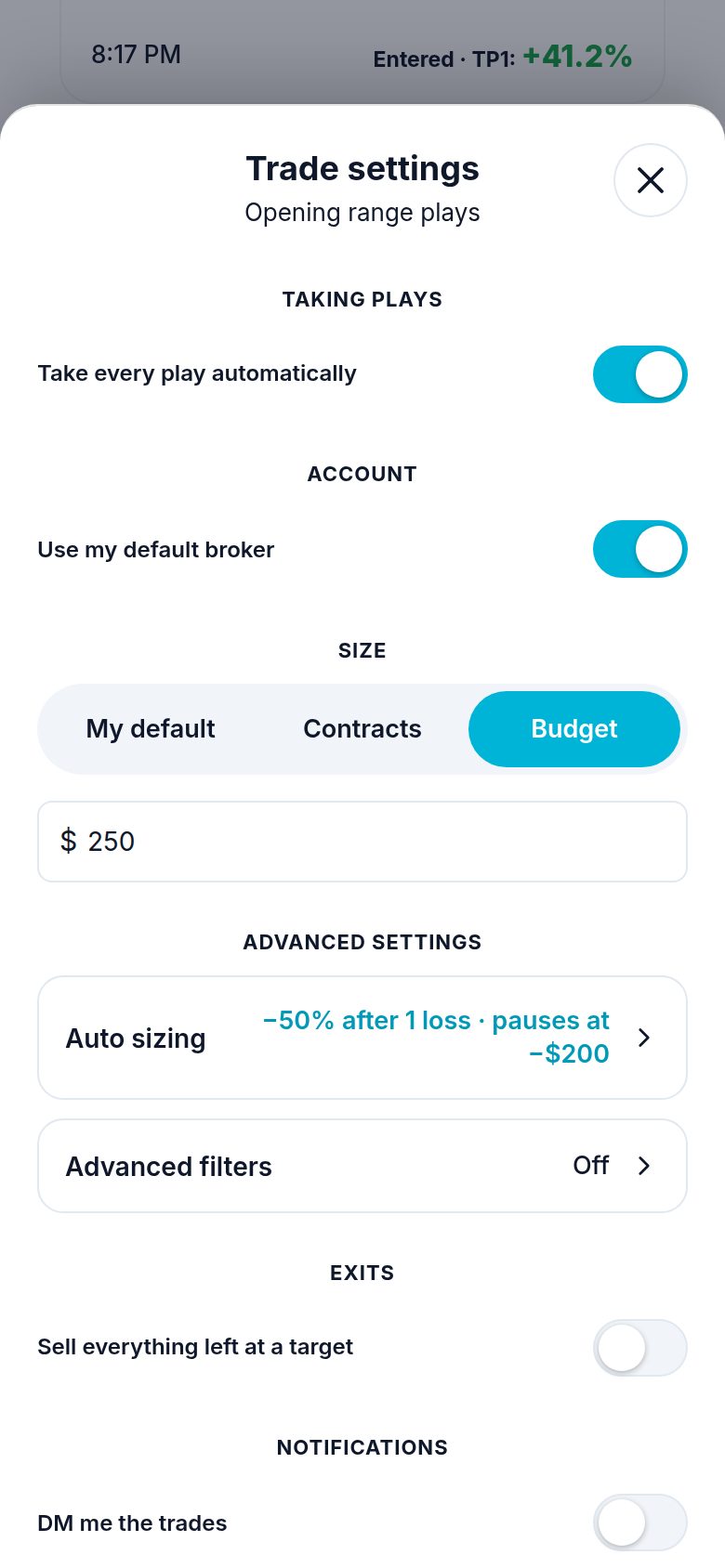
For a group you follow, it is the same Auto sizing page from your Trade settings, the same two switches:
Turn it back on early
Turn the workflow back on (its switch, or ask the chat). For a group you follow, switch Take every play automatically back on in its Trade settings.
If you ask the chat
| You say | Atlas does |
|---|---|
| "Stop this workflow for the day if I lose $300" | Adds pause_loss: {"amount": 300, "unit": "usd", "resume": "tomorrow"} to the card's bracket_auto_size. |
| "Pause after I make 5%, until I turn it back on" | pause_profit: {"amount": 5, "unit": "pct", "resume": "manual"}. |
| "Stop taking this group's plays for a week if I lose $200 in a day" | Signal-Trade-Settings with group_id and pause_loss: {"amount": 200, "unit": "usd", "resume": "week"}. |
| "Turn it back on now" | Workflow-Update patch {"status": "active"}, or Signal-Trade-Settings accept_mode: "auto" for a group. |
| "Remove the loss limit" | Sends pause_loss: {}. |
Need help? Email accesspoint@finmanagerai.com.