Size and auto sizing
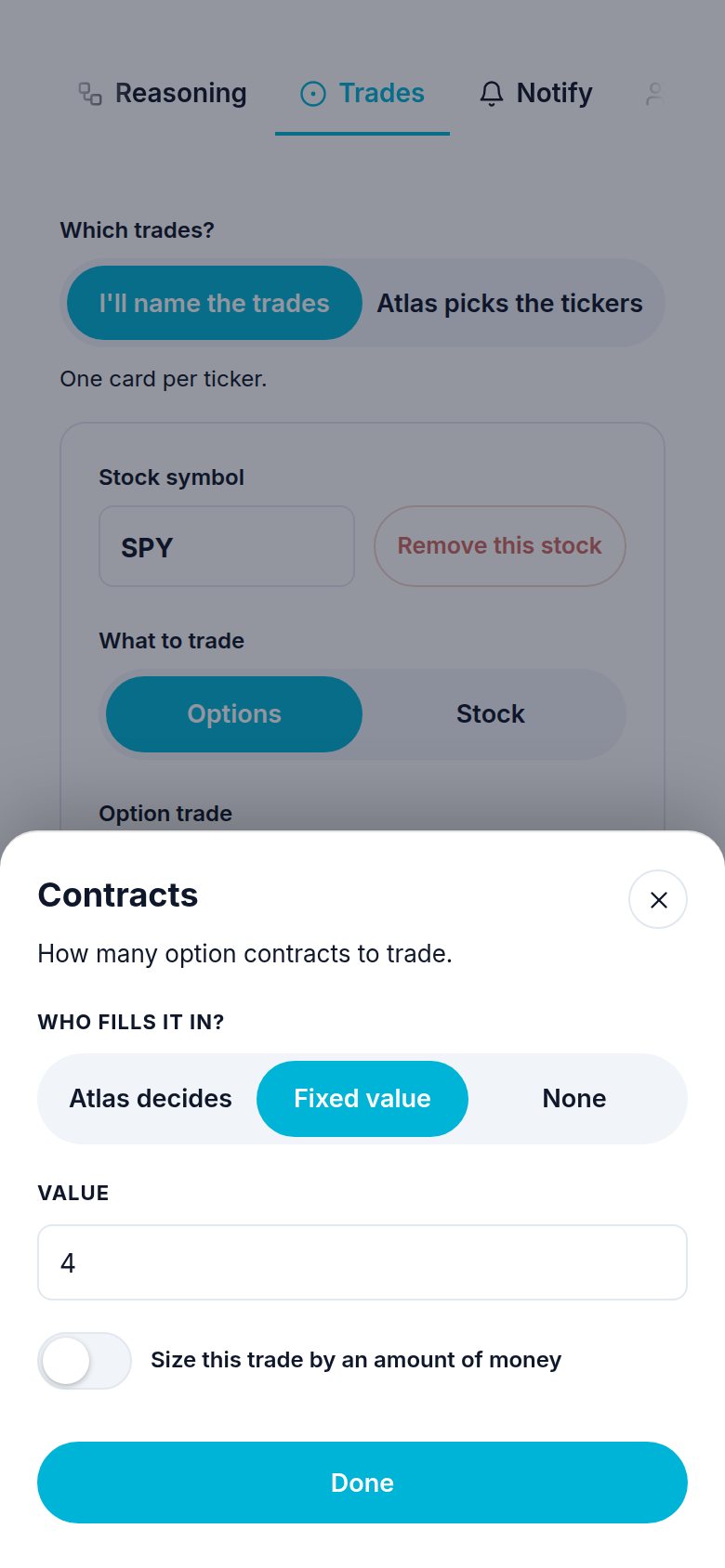
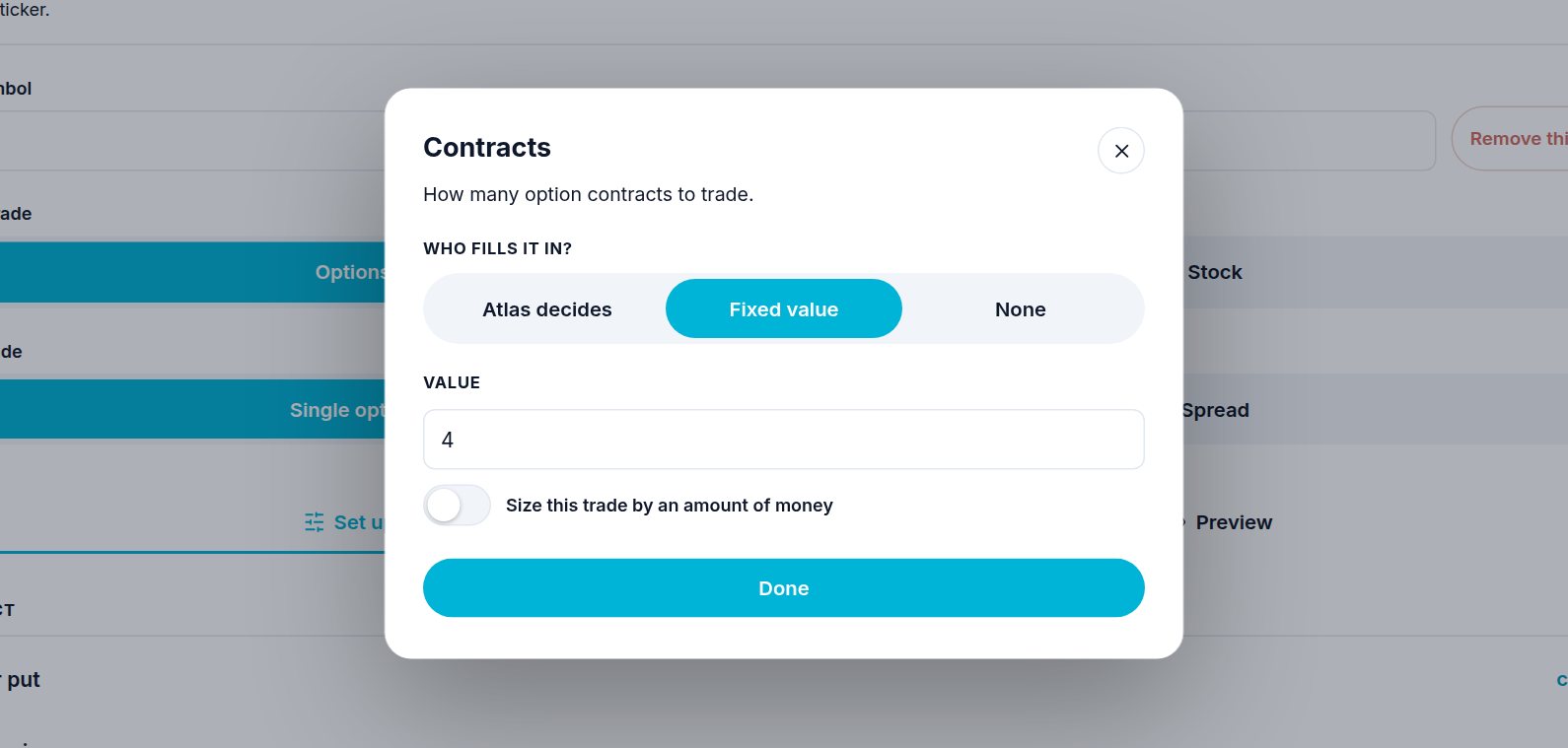
Every trade form now has one Contracts row. It shows either a number ("4") or money ("up to $500"). You find it on:
- a workflow's trade card (Workflows, open one, Trades tab),
- a trigger,
- a signal you post,
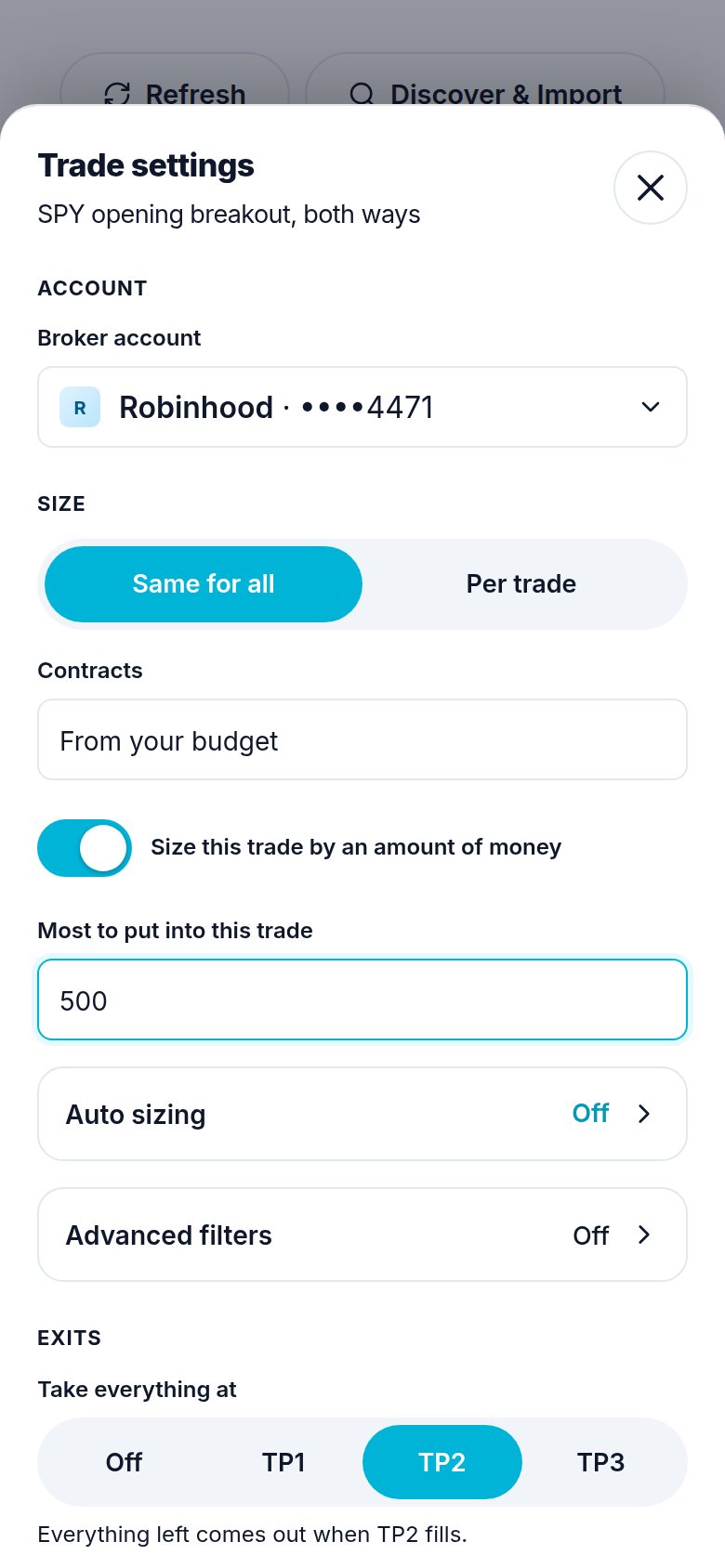
- your Trade settings for a signal group you follow,
- the Take sheet when you take a play by hand,
- spreads, where the row is called How many (how many spreads).
Step 1. Open the Contracts row
Tap Contracts. Type how many contracts you want.
Step 2. Or size it by money
Pick Budget (beside Contracts) and type the most to put into this trade. Atlas buys as many as fit under that amount at the price it pays, never more.
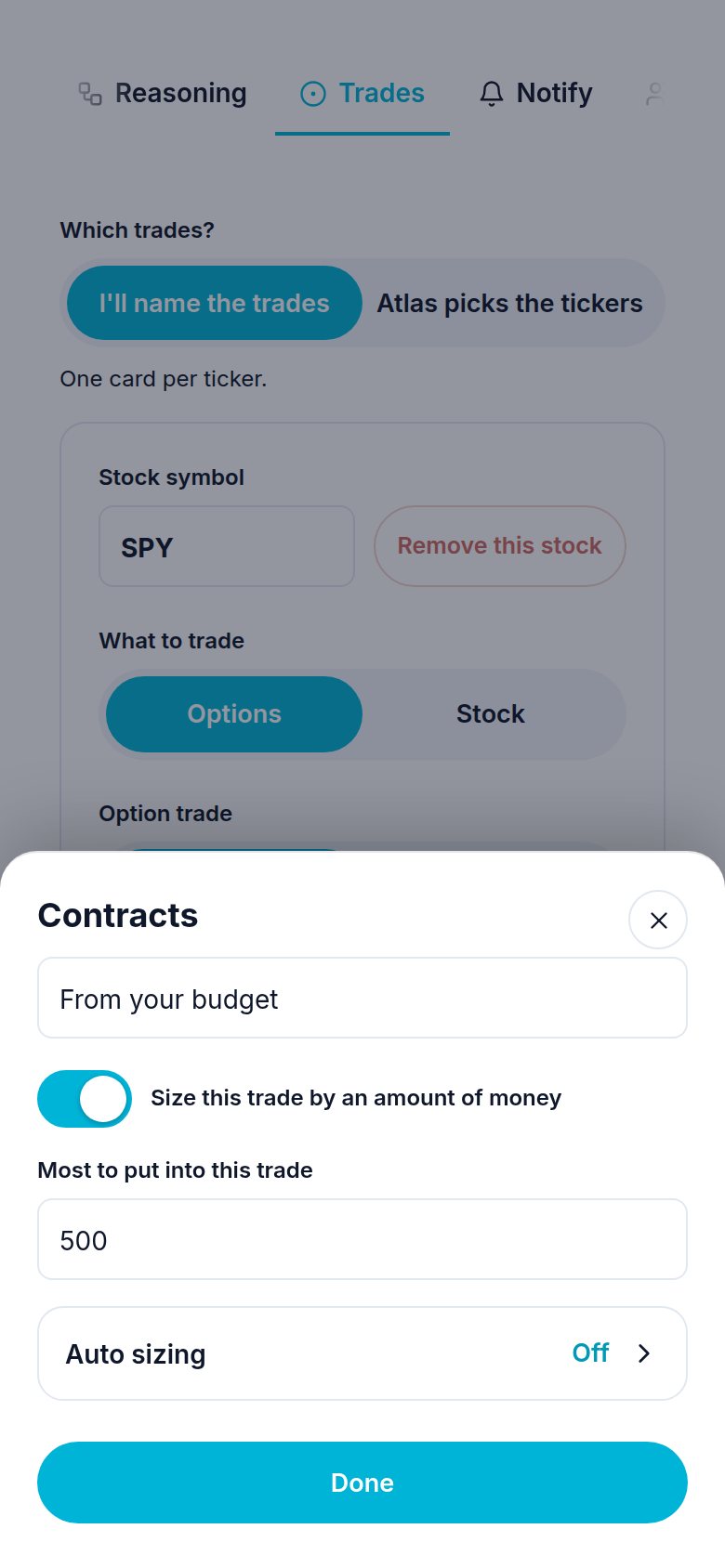
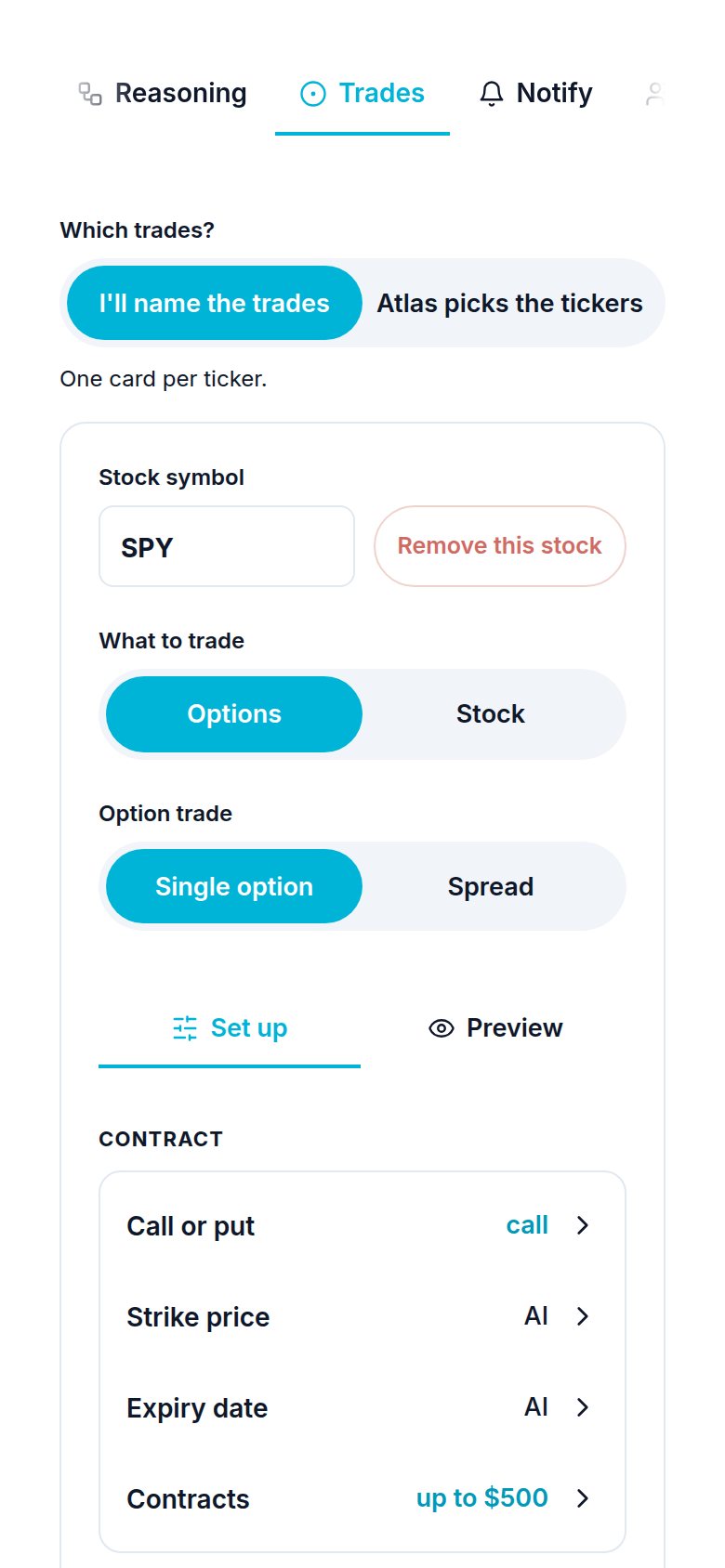
Tap Done. The row now reads up to $500.
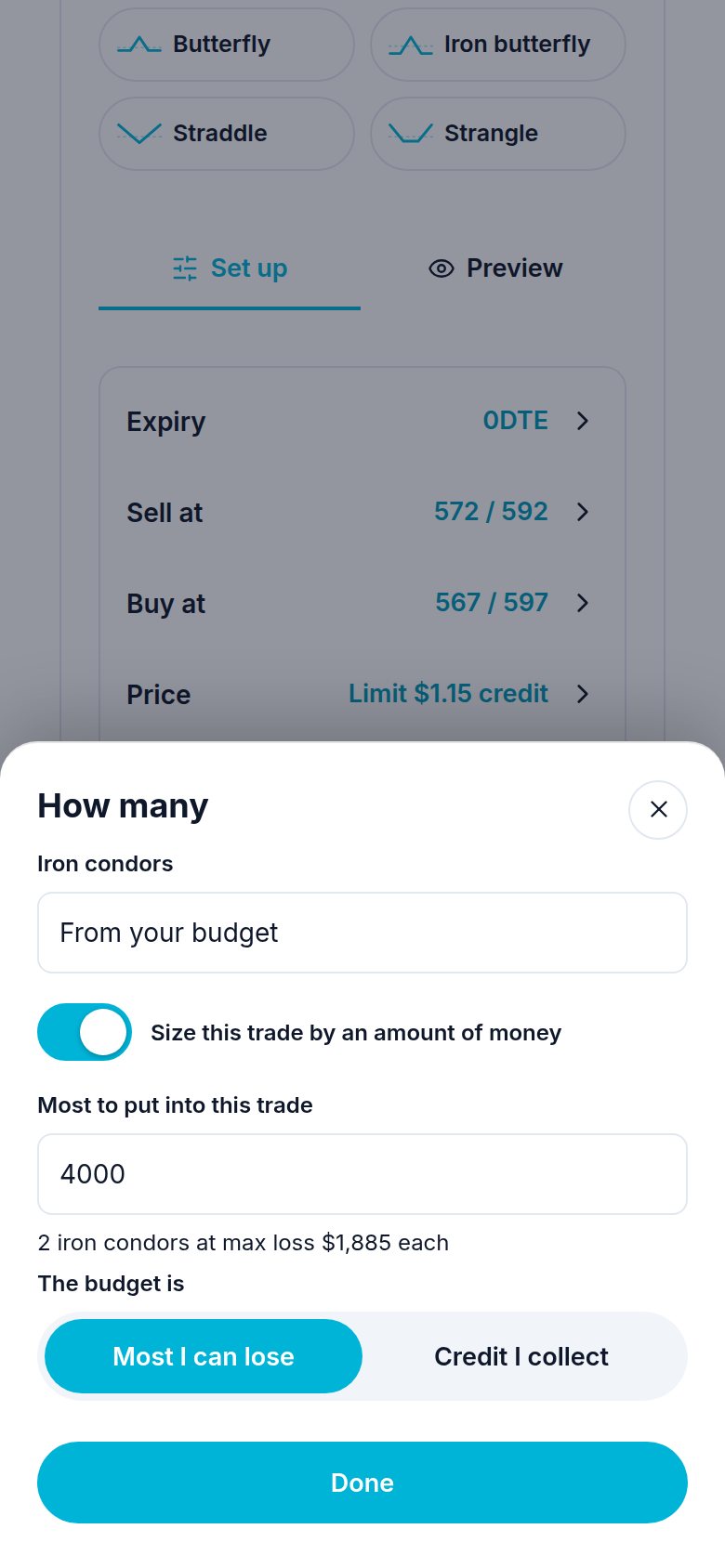
For a spread the same sheet is called How many. The budget can be the most you can lose or the credit you collect.
On a computer it is the same sheet in the middle of the screen:
Step 3. Auto sizing (optional)
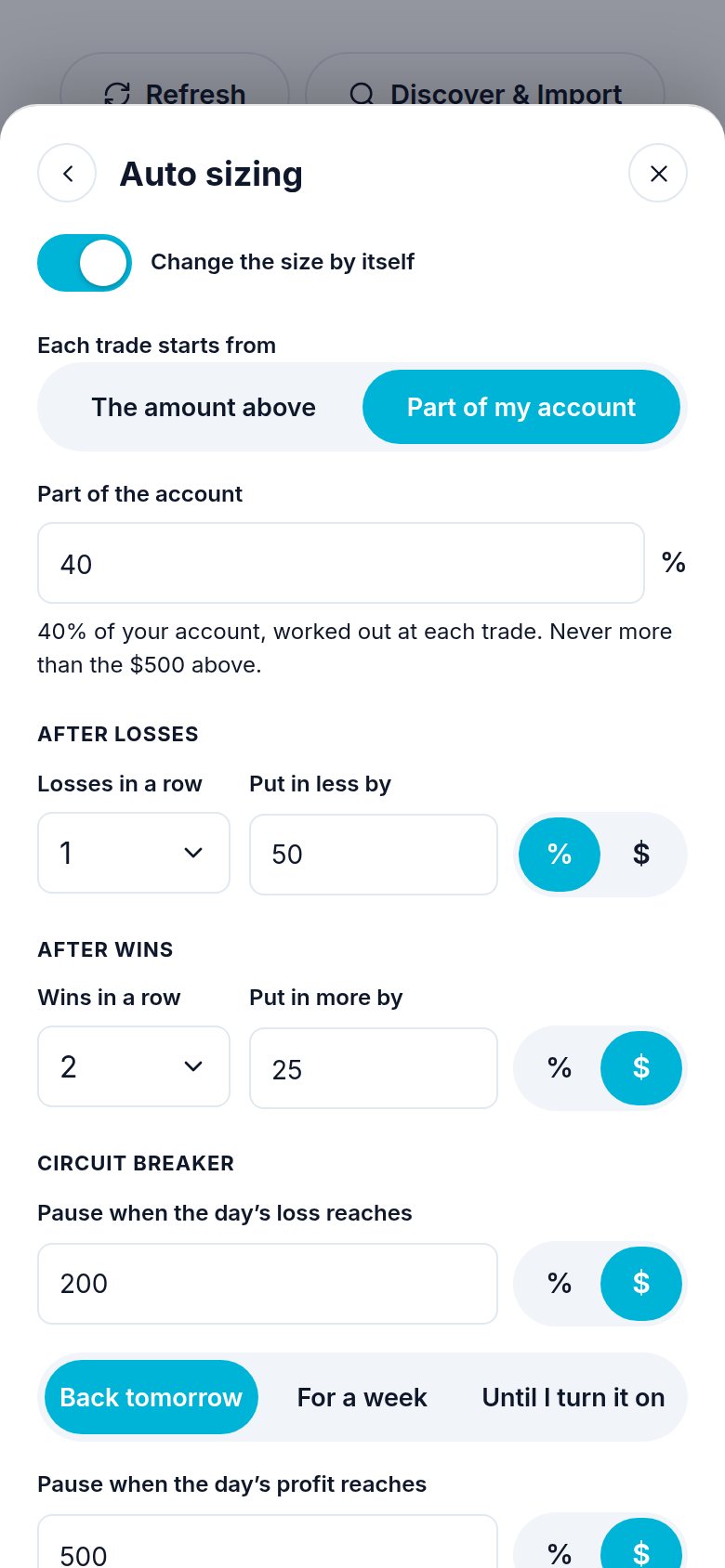
With money switched on, an Auto sizing row appears under the amount. Tap it. The same row is in a workflow's Trade settings and in the Trade settings of a signal group you follow or own. All of them open the same page, with two switches: Change my size and Circuit breaker. Each opens its own part only when it is on.
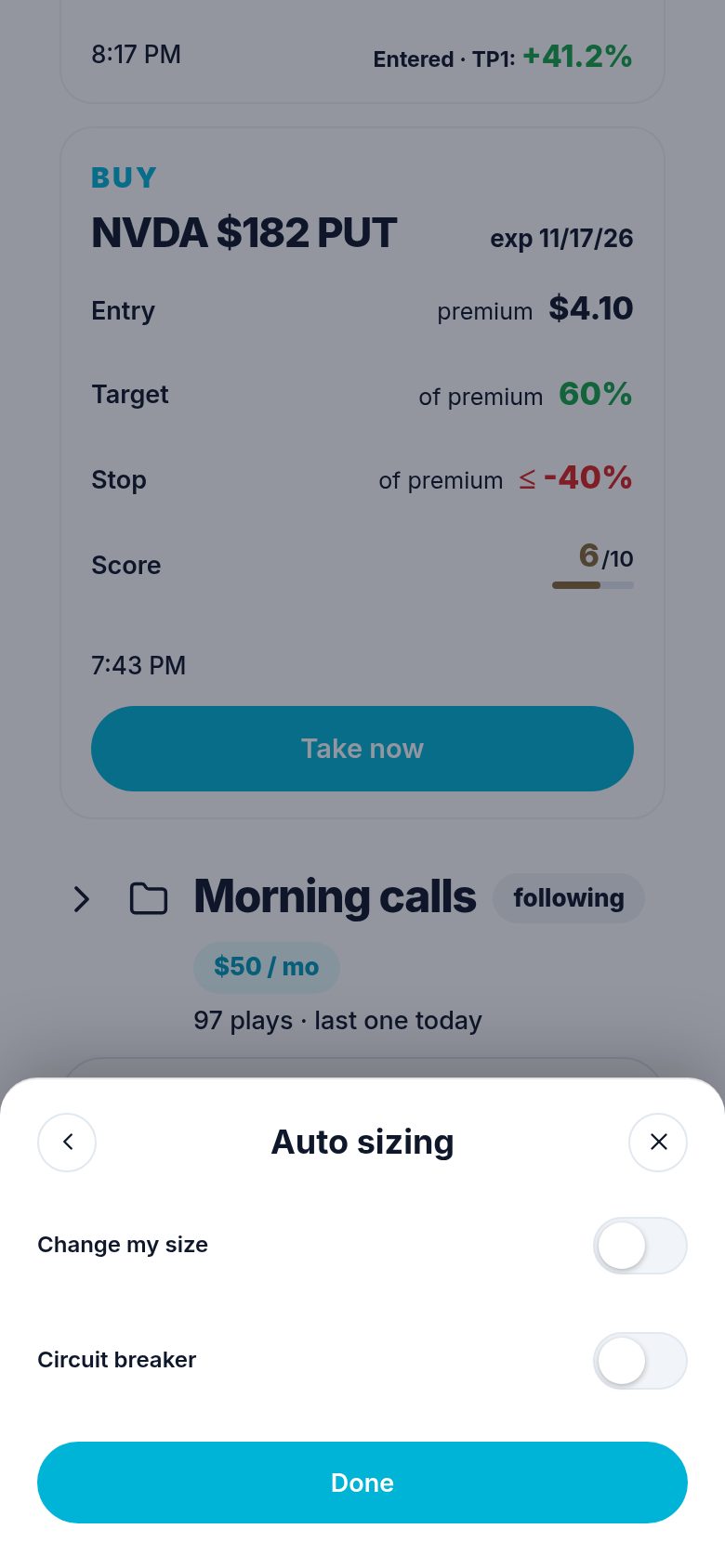
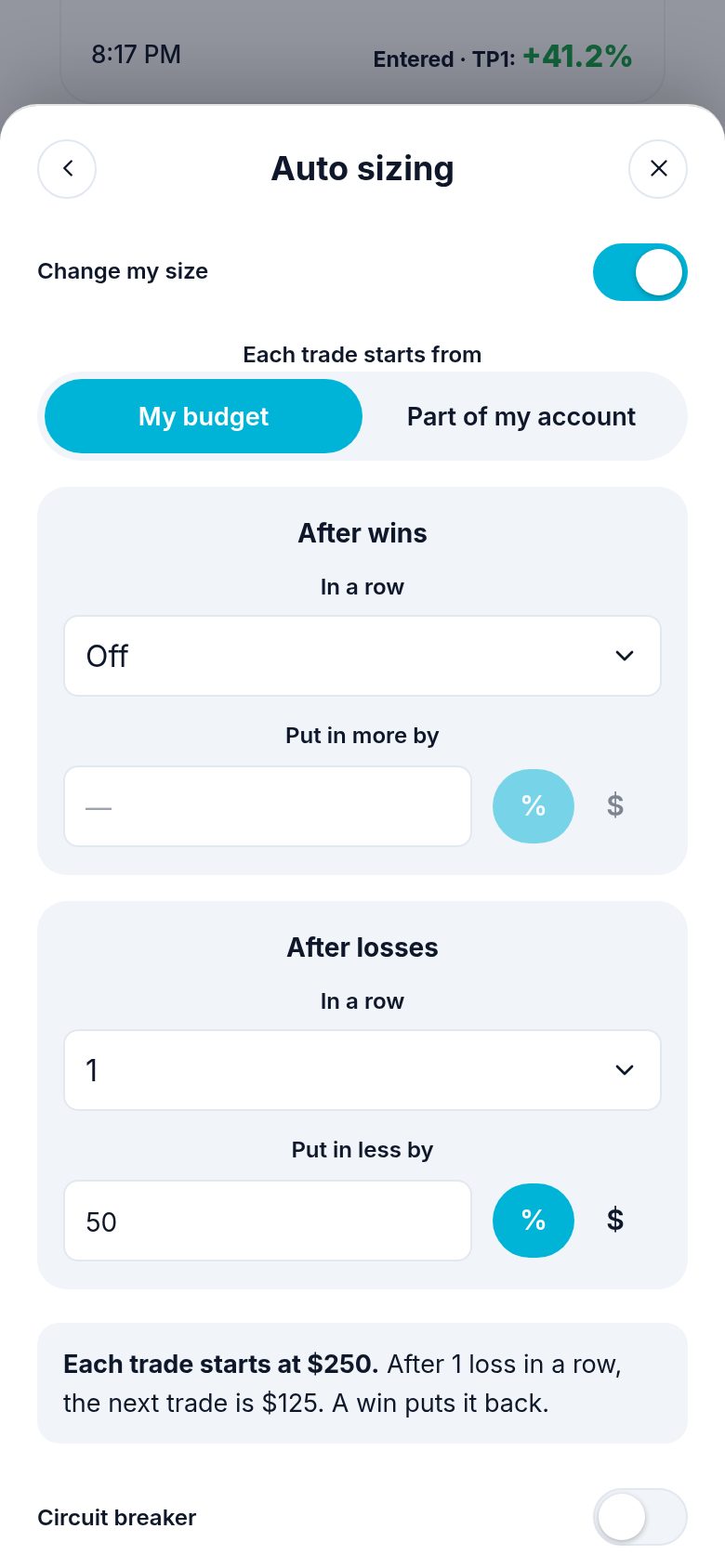
Switch on Change my size, then choose:
| Setting | What it does |
|---|---|
| Each trade starts from | My budget ($500), or Part of my account (for example 40% of your account). It is never more than your budget. |
| After wins (its own box) | In a row: after this many wins in a row, put in more by a % or by $. |
| After losses (its own box) | In a row: after this many losses in a row, put in less by a % or by $. |
How it works:
- It is worked out when each trade goes in, from your account then.
- It moves one step, then goes back to the start after the opposite result (a win after a loss, a loss after a win).
- It never goes under one contract.
- The box at the bottom says it in a sentence, so you can check it.
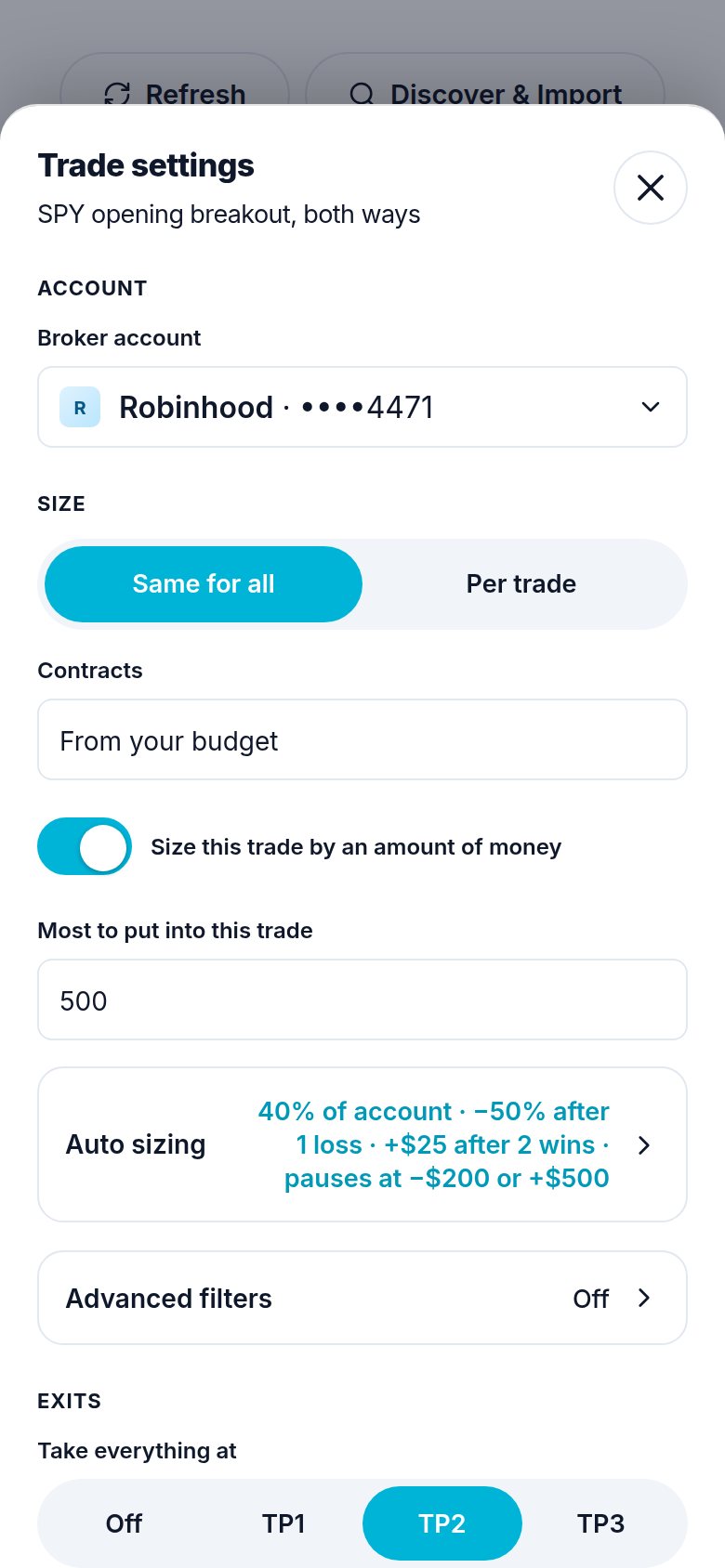
Tap Done. The row shows what you set, for example 40% of account · −50% after 1 loss · +$25 after 2 wins · pauses at −$200 or +$500, and the trade's Contracts row reads up to $500 · auto.
The same page on a computer:
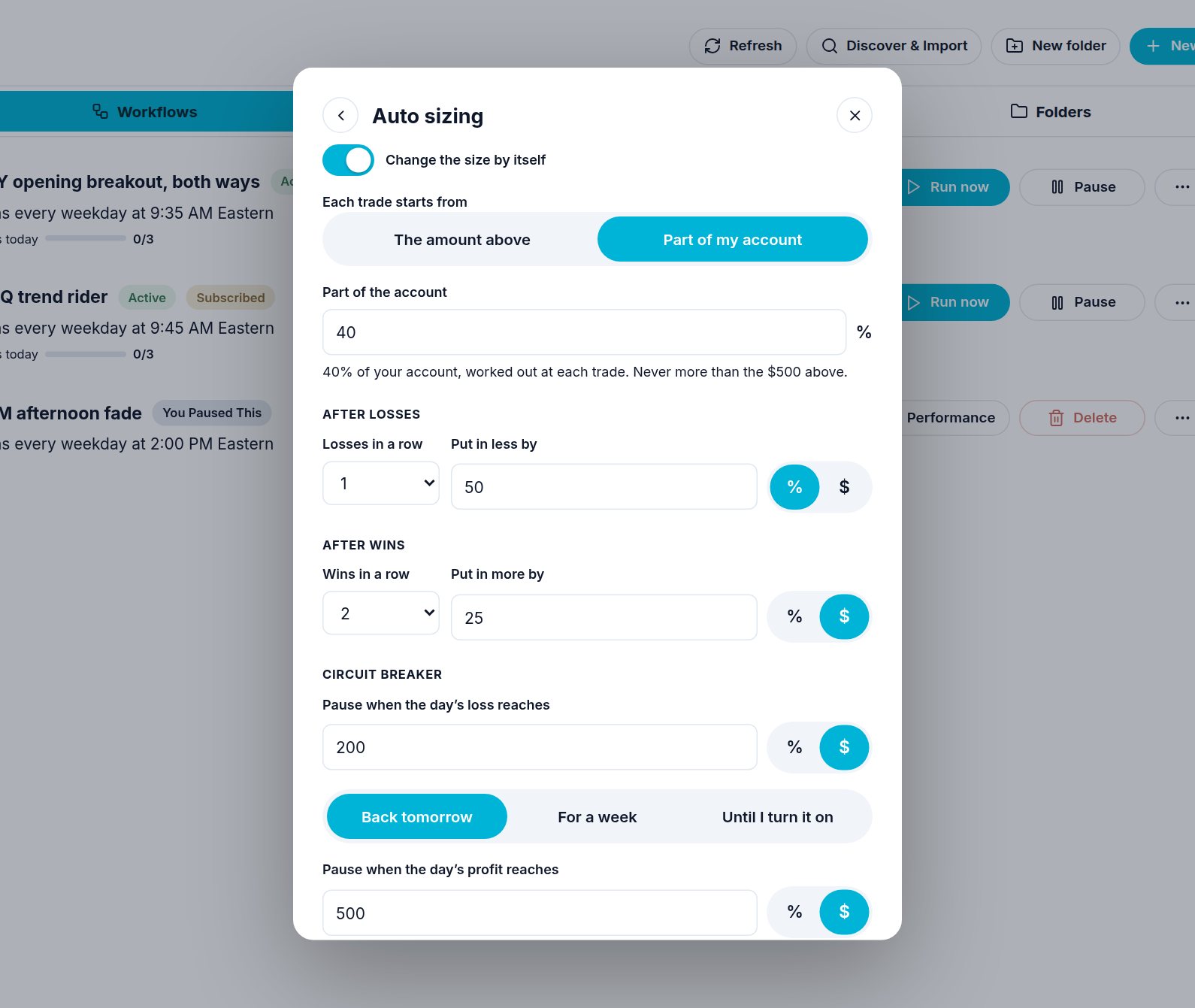
The same page also holds the circuit breaker, behind its own switch. Change my size needs a budget: sized by contracts, it says Set a budget first and only the circuit breaker can be turned on.
For a signal group you follow, it is the same page. The steps after losses and wins count your own closed trades from that group, and they change only orders your own budget sizes (never the play's size you follow).
If you ask the chat
| You say | Atlas does |
|---|---|
| "Put $500 into each trade" | Sets the budget on that trade (bracket_trade_budget: 500, no contract count). |
| "Buy 3 contracts" | Sets the count, no budget. |
| "Start at 40% of my account, never over $1,000, and put in 25% less after 2 losses" | Workflow card: bracket_trade_budget: 1000, bracket_auto_size: {"start": "account", "account_pct": 40, "down_after": 2, "down_by": 25, "down_unit": "pct"}. |
| "Post this play with $500, sized by my account" | Signal-Post with trade_budget and auto_size (your own order only). |
| "My budget for this group is $250" | Signal-Trade-Settings max_per_trade: 250. |
| "On my copy of that workflow, $500 a trade" | Workflow-Update execution_overrides {"budget_cents": 50000}. |
A script workflow has no Trade settings: its script decides the size.
A trigger on its own takes only the start (auto_size {"start": "account",
"account_pct": 40}). The steps after losses and wins count a workflow's
trades, so they go on a workflow's trade card.
Need help? Email accesspoint@finmanagerai.com.