Memory
Atlas remembers things about you between chats, like how you size a trade or what you never hold through earnings, so you do not have to say them again.
Open Profile, then the Memory tab.
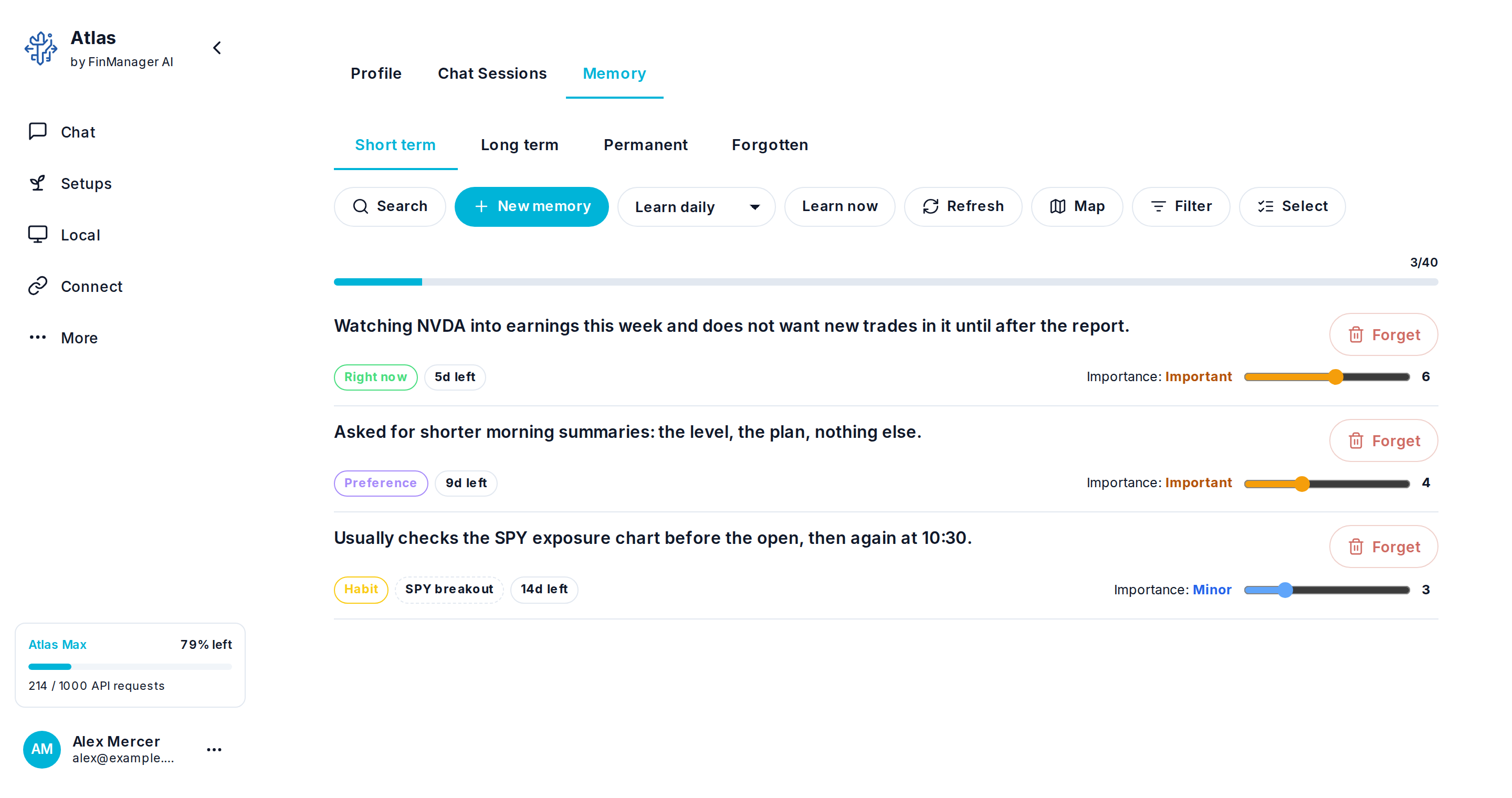
| Tab | What is in it |
|---|---|
| Short term | Kept for hours. |
| Long term | Kept for weeks. |
| Permanent | Kept until you remove it. |
| Forgotten | The trash. A forgotten memory waits here for 30 days and can be brought back. |
What you can do:
- Search what is remembered, or look at it as a Map or a List.
- New memory writes one yourself.
- Select, then forget the ones that are wrong or out of date.
- Choose how often Atlas learns from your chats: Learn daily, weekly, monthly, or Never learn. Learn now does it straight away.
Who stored it
Each memory says who wrote it. One you typed here has no label. One Atlas picked up from your chats, or wrote in the web chat, says by Atlas. One an assistant wrote through the Memory tools carries that assistant's own name, such as by claude or by gpt. Open a memory to see it beside the date it was stored.
The same goes for forgetting: the Forgotten tab shows who forgot each one, and why.
Share with my computers
Atlas Studio keeps a memory of its own on each computer you run it on, and your past chats stay there too. One button lets Atlas use both.
Press Share with my computers to switch sharing on. The button then reads Stop sharing with my computers. While it is on:
- Asking Atlas what it remembers looks in one go at this profile's memory, the memory of every computer that is on, and past chats there. From a chat it brings back the message that matched and the 3 either side: only your words and the AI's, never what a tool read, and never your files.
- Atlas in the web chat also brings in the memory of your computers that are on. A computer that is off or slow is skipped, and the chat does not wait for it.
- Atlas and assistants you connected can add to or change the memory on a computer. Past chats can only be read.
- Nothing a computer answers is stored on Atlas. It is passed along and that is all.
Press the button again to switch it off. Atlas then reads this profile's memory only. A computer has to be on, with Atlas Studio open and Local Mode on, to answer.
Assistants reach all of this through the Memory tools. See All tools.
Need help? Email accesspoint@finmanagerai.com.