Advanced filters
Advanced filters decide which trades are taken for you when you follow a signal group or copy somebody's workflow. A filter only skips a trade. It never changes one: you get the same trade as everyone else, or none.
Step 1. Open Trade settings
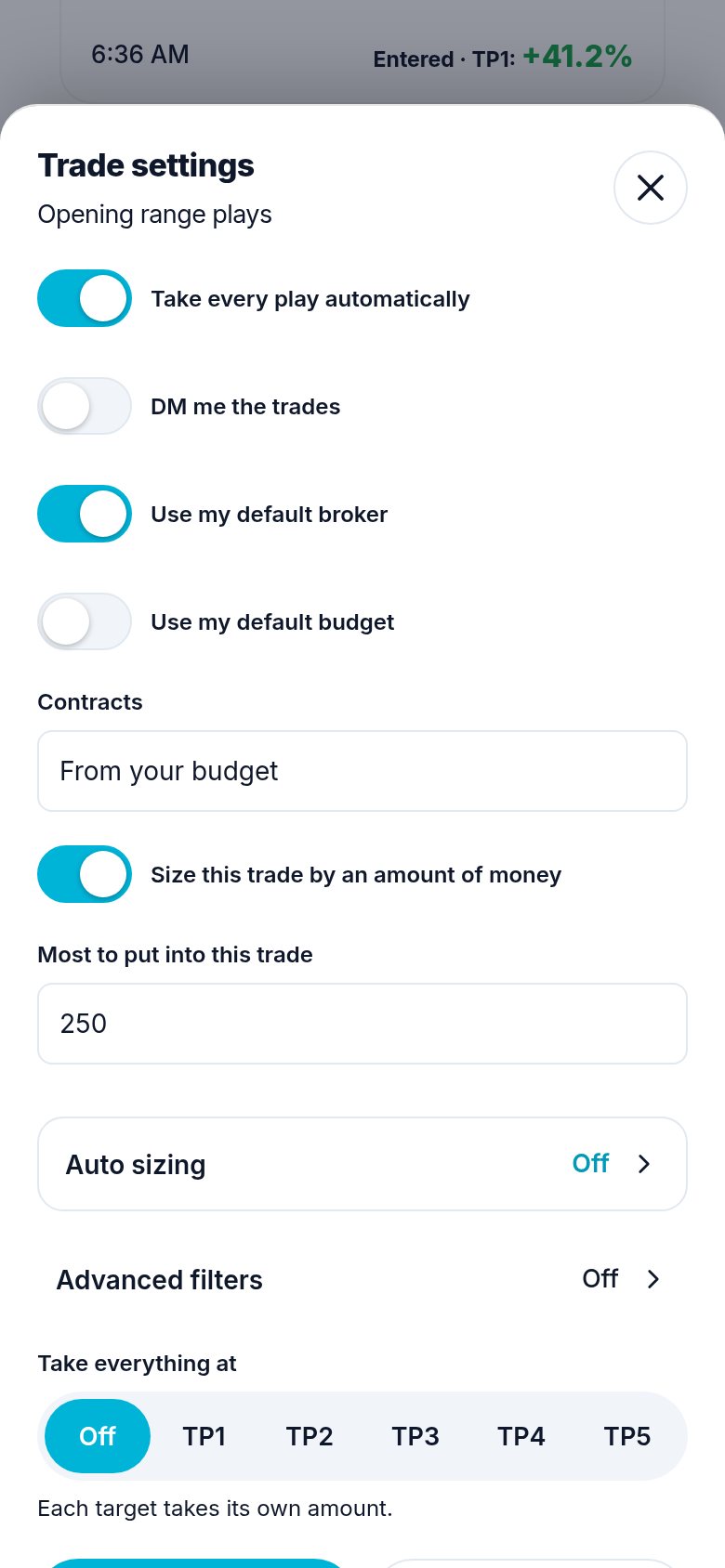
On Signals, open Trade settings for a group you follow. Tap Advanced filters. On a workflow, the same row is in its Trade settings.
Step 2. Fill in only what you want
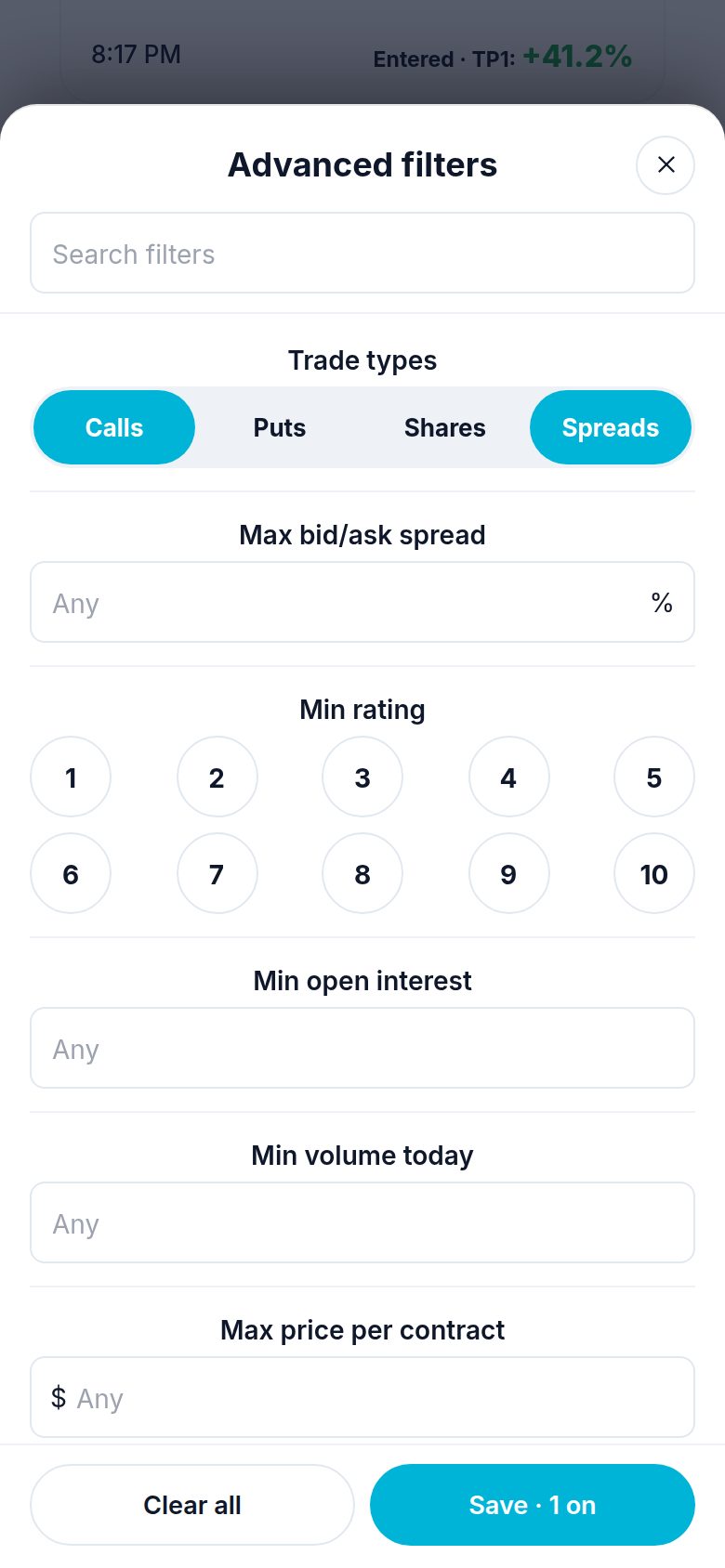
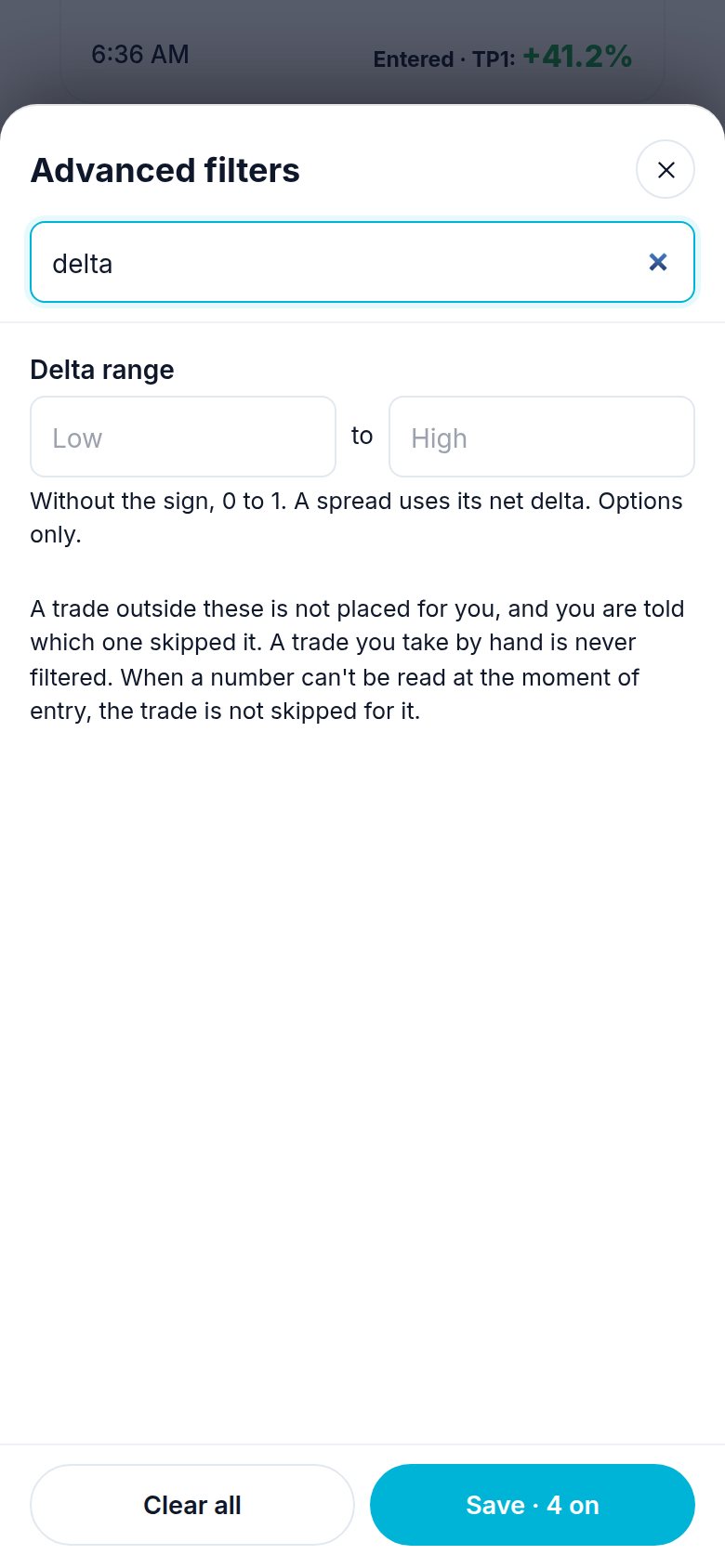
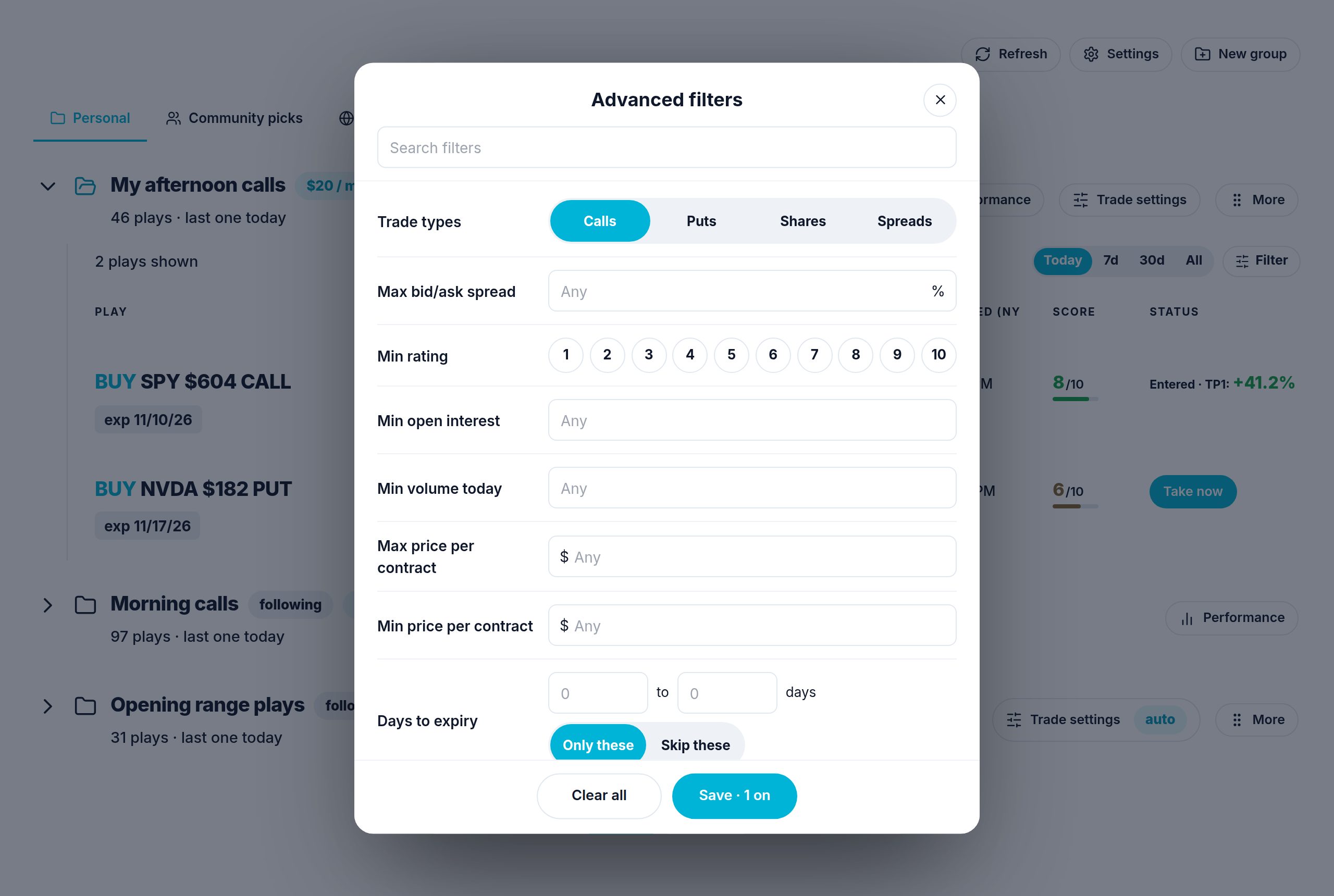
Each filter has its own box, and its name says what it does (Max = skip above this, Min = skip below this). Leave a box empty and it does not filter. The most used come first. A Search filters box at the top finds one by name. The table below says exactly what each one checks.
Trade types and Days are buttons: tap as many as you want, and the ones you picked turn blue. None picked means every type, every day.
Step 3. Save
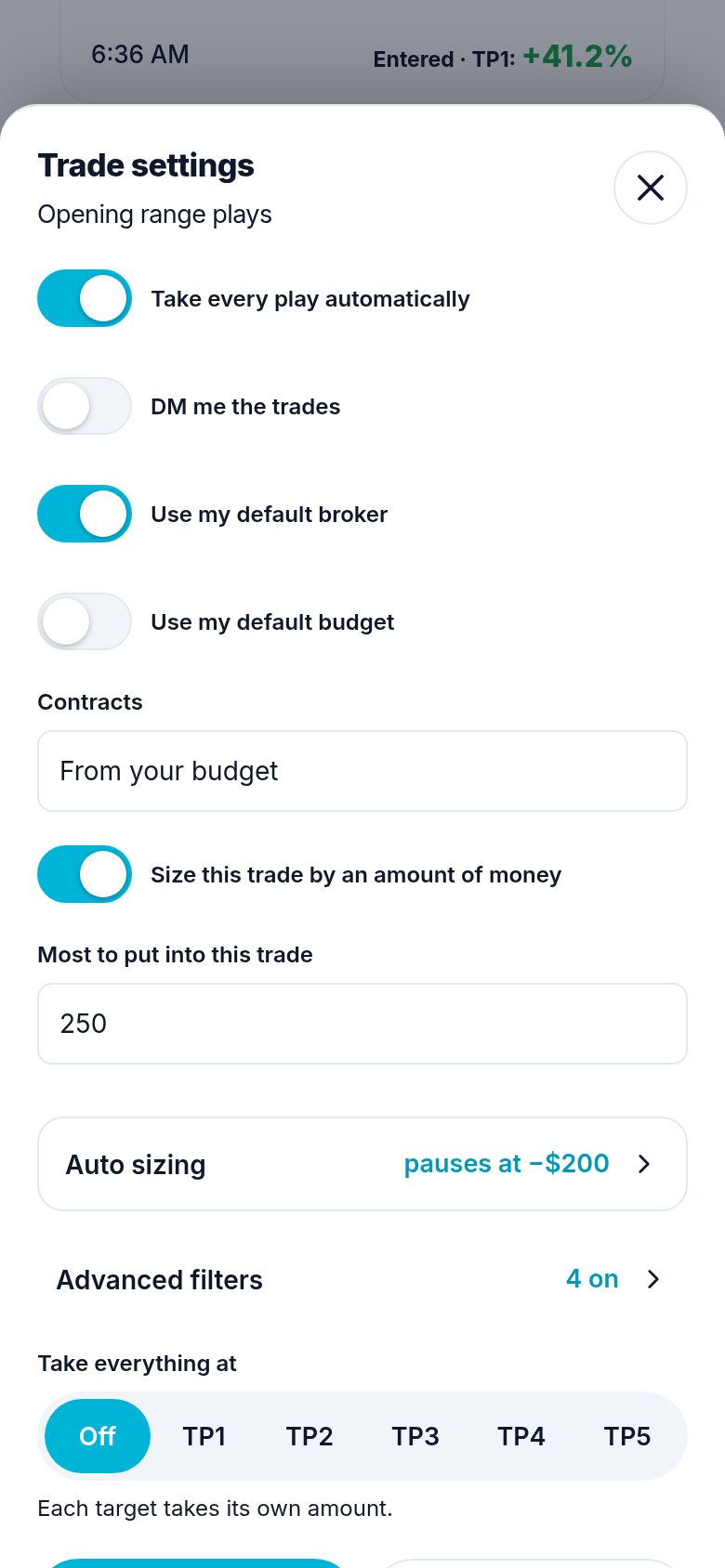
Tap Save (it says how many are on). Clear all empties the page. The row then says how many filters are on.
On a computer the page opens in the middle of the screen:
The 28 filters
In the order of the page. "All" means calls, puts, shares and spreads.
| Filter | A trade is skipped when | Works on |
|---|---|---|
| Trade types | It is a type you did not pick (calls, puts, shares, spreads). None picked = every type. | All |
| Max bid/ask spread | The gap between bid and ask is wider than this % of the middle price. | All (shares: the stock's; spreads: every leg) |
| Min rating | Its rating (1 to 10) is lower. A trade with no rating is not skipped. | All |
| Min open interest | The contract's open interest is lower. | Calls, puts, spreads (every leg) |
| Min volume today | Today's volume is lower. | All (shares: the stock's) |
| Max price per contract | One contract costs more ($). A trade whose price can't be known yet is skipped too. | All (one share; a spread's net) |
| Min price per contract | One contract costs less ($). | All |
| Days to expiry | Days to expiry (0 = same day) are outside, or inside with Skip these. | Calls, puts, spreads |
| Max move past entry | The price already moved this % past the entry it was called at. | All |
| Max play age | The trade is older than this many minutes. | All |
| Skip near earnings | The company reports within this many days. | All |
| Big news days | Today is an FOMC, CPI or jobs report day. | All |
| Max trades a day | You already took this many today. | All |
| Max open at once | You already have this many open from this group or workflow. | All |
| IV range | Implied volatility is outside your range (%). | Calls, puts, spreads |
| Delta range | Delta (0 to 1, no sign) is outside your range. | Calls, puts, spreads (net delta) |
| Strike range | The strike is outside, or inside with Skip these. | Calls, puts, spreads (every leg) |
| Only these symbols | The ticker is not on your list. | All |
| Time window | It comes outside your hours (your own time zone). | All |
| Days | It comes on a day you did not pick. | All |
| Max stock move today | The stock already moved more than this % today. | All |
| Max gap at open | The stock opened more than this % from yesterday's close. | All |
| Day direction | With the day: calls only on green days, puts only on red. Against: the opposite. | Calls, puts, shares (bought = call side, shorted = put side), spreads (bull = call side) |
| VIX range | The VIX is outside your range. | All |
| Max theta a day | Time decay is more than this many $ a day for one contract. | Calls, puts, spreads (net) |
| Max buying power used | The trade would use more than this % of what is free. | All |
| Pause after a loss | A losing trade closed less than this many minutes ago. | All |
| Stock price range | The stock's price is outside your range. | All |
Good to know
- Market filters are checked when the trade goes in, with the market at that moment (spread, open interest, volume, IV, delta, theta, slip, late entry, earnings, news days, open trades, stock move, gap, direction, VIX, buying power, pause after a loss, stock price).
- A number Atlas can't read at that moment never skips a trade.
- A skipped trade sends you one notice that names the filter that skipped it.
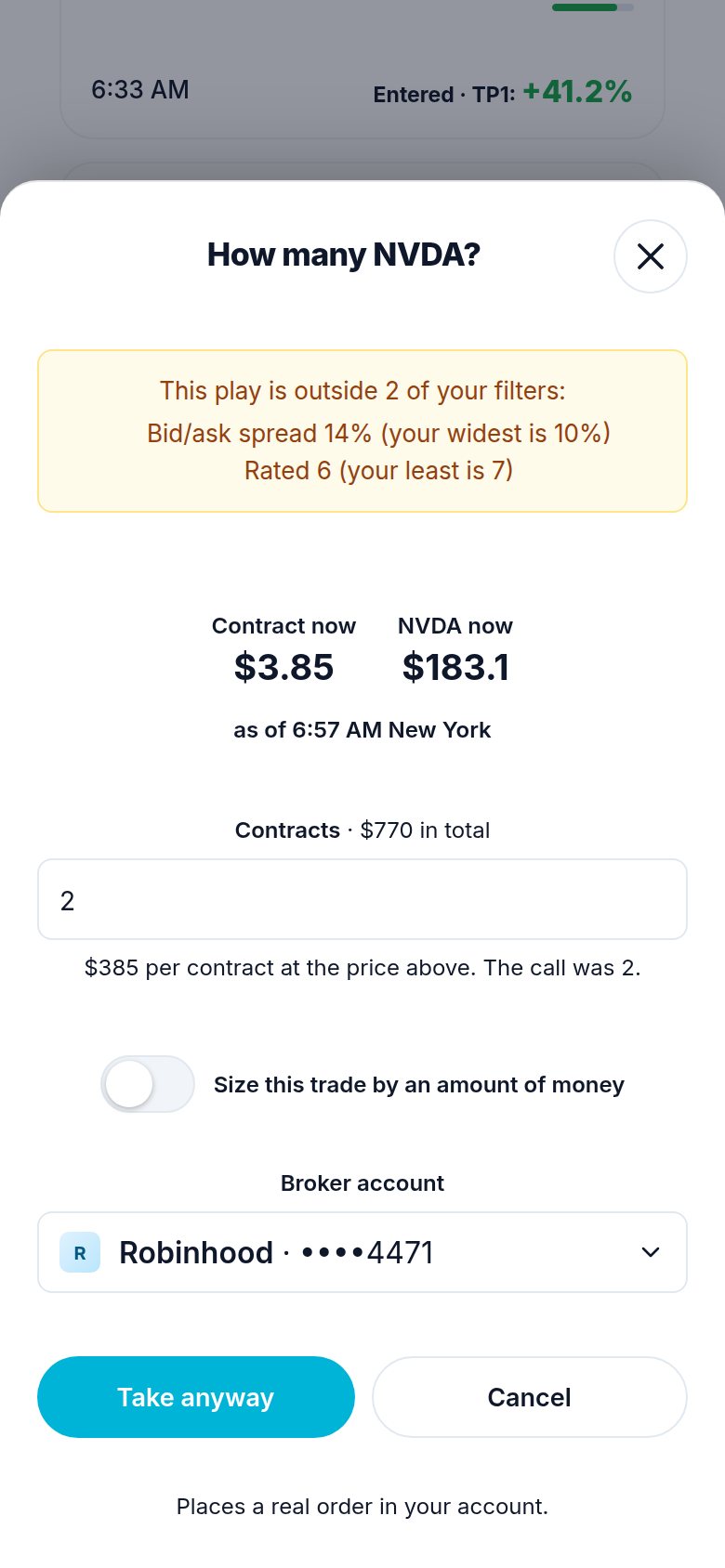
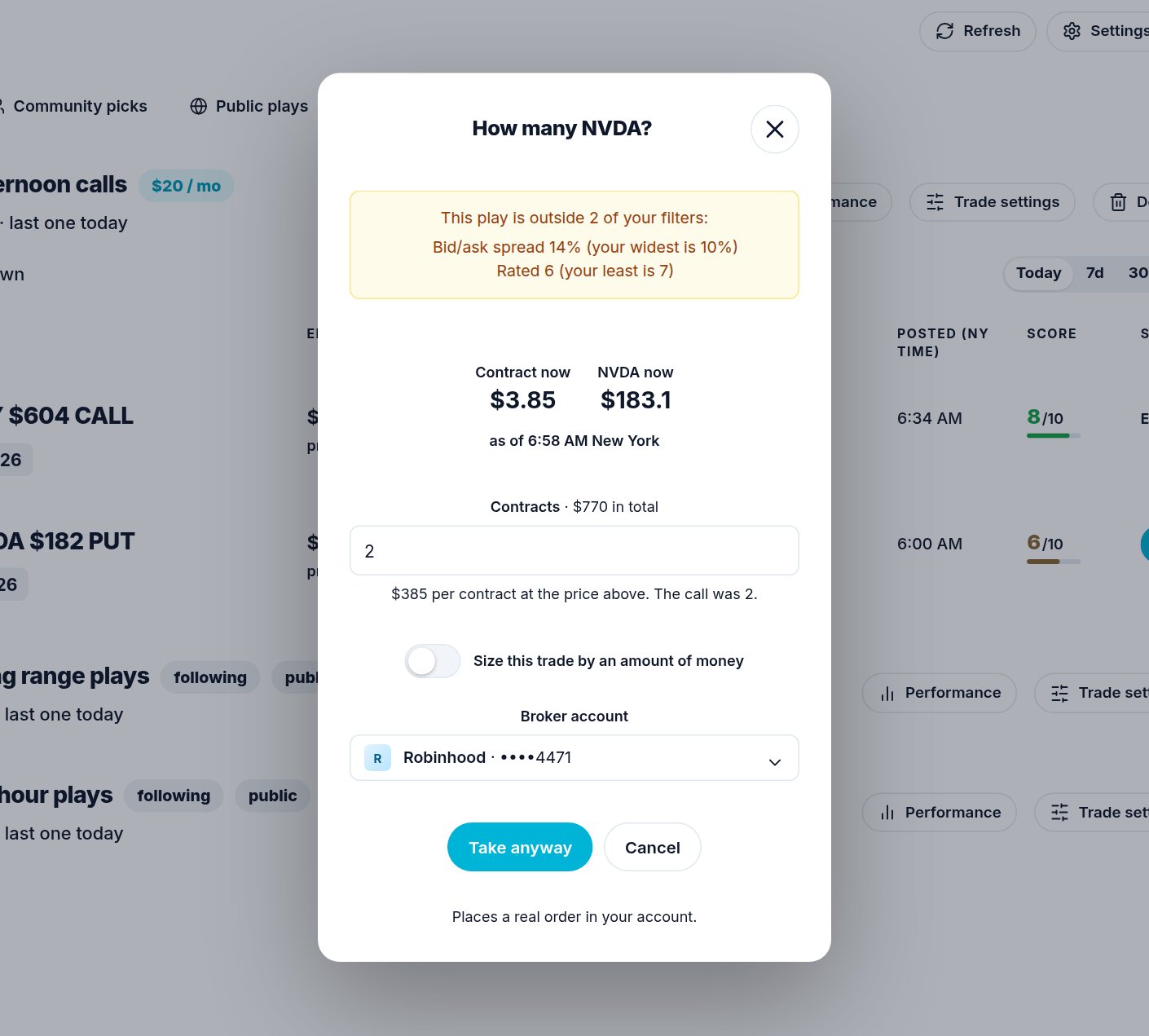
- A play you take by hand is never stopped, but you are told. When you press Take now on a play that breaks some of your filters, the sheet says which ones in a yellow note, for example "Bid/ask spread 14% (your widest is 10%)", and its button reads Take anyway. Press it to take the play all the same, or Cancel.
- The person who posts the signal, or owns the workflow, is never filtered.
- The same filters are on a group you pay for (Marketplace, My subscriptions), on Community picks (Settings), and on a copy of somebody's workflow.
If you ask the chat
| You say | Atlas does |
|---|---|
| "Only take SPY and QQQ from this group" | Signal-Trade-Settings group_id + trade_filters: {"symbols": ["SPY", "QQQ"]}. |
| "Nothing over $3 a contract, and not on FOMC days" | trade_filters: {"max_contract_cost": 3, "skip_news_days": true}. |
| "Skip trades within 5 days of earnings" | trade_filters: {"earnings_days": 5}. |
| "Only 9:45 AM to noon, Monday to Wednesday" | trade_filters: {"window": {"from": "9:45 AM", "to": "12:00 PM"}, "days": ["mon", "tue", "wed"]}. |
| "Same on my copy of that workflow" | Workflow-Trade-Settings with trade_filters (or Workflow-Update with top-level trade_filters). |
| "Does this play break any of my filters?" | Signal-Filter-Check with the play's id: each broken filter in words. Nothing is placed. |
| "Take it anyway" | Takes the play by hand (Signal-Take). A filter never stops a hand take. |
| "Clear my filters" | trade_filters: {}. |
The whole set replaces what was saved, so the chat sends every filter you want to keep.
Need help? Email accesspoint@finmanagerai.com.