 Atlas
AtlasPlease use the web version first at chatgpt.com, then you can use the apps.
1
Open Settings
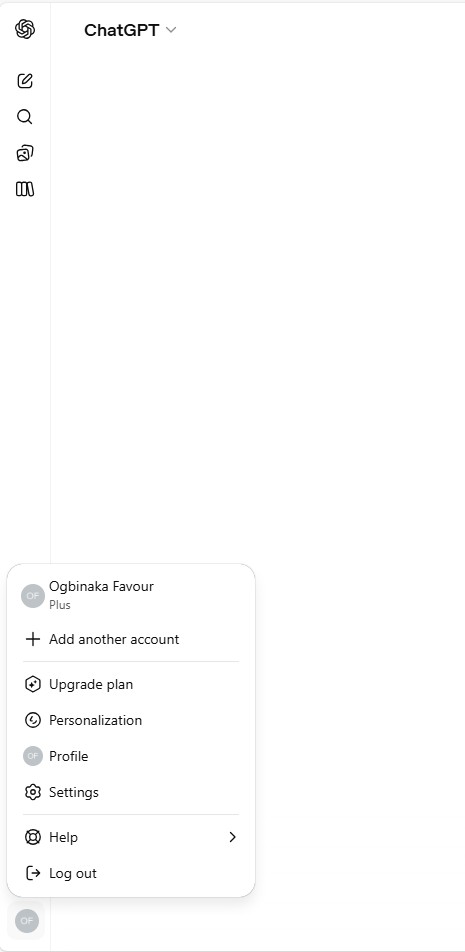
Click your profile icon in the bottom-left corner of ChatGPT, then select Settings from the menu.
2
Go to Apps
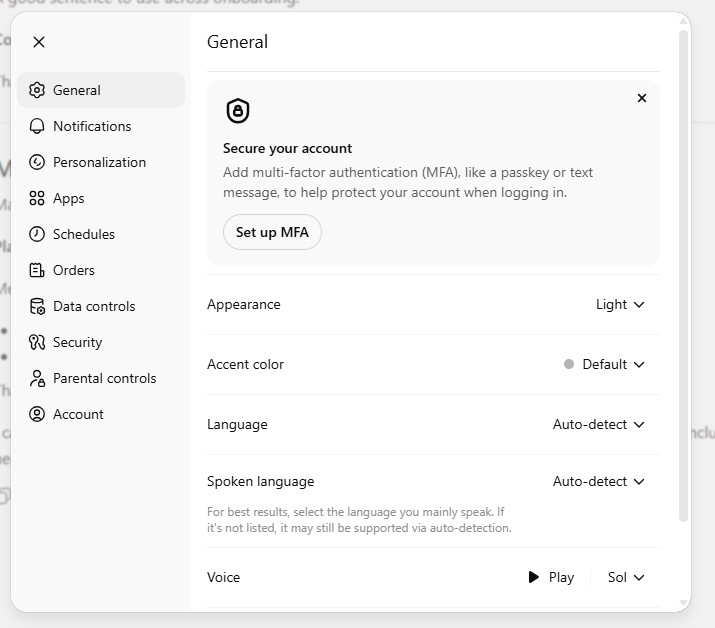
In Settings, click Apps in the left sidebar to manage your connected apps.
3
Enable Developer Mode
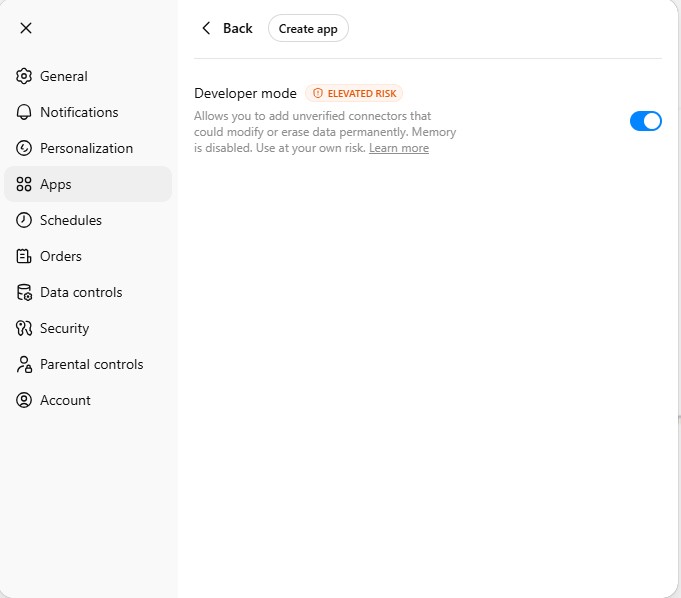
Toggle on Developer mode and click Create app.
4
Create the Atlas App
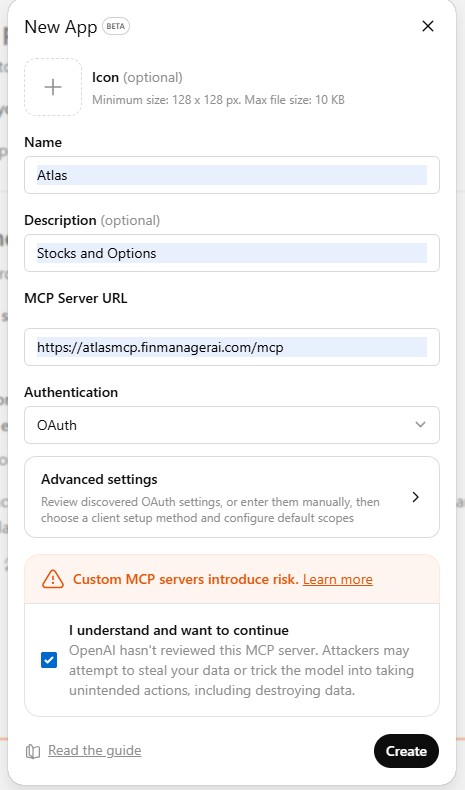
Fill in the details:
Name: Atlas
Description: Stocks and Options
MCP Server URL: https://atlasmcp.finmanagerai.com/mcp
Authentication: OAuth
Check the disclaimer box and click Create.
Name: Atlas
Description: Stocks and Options
MCP Server URL: https://atlasmcp.finmanagerai.com/mcp
Authentication: OAuth
Check the disclaimer box and click Create.
5
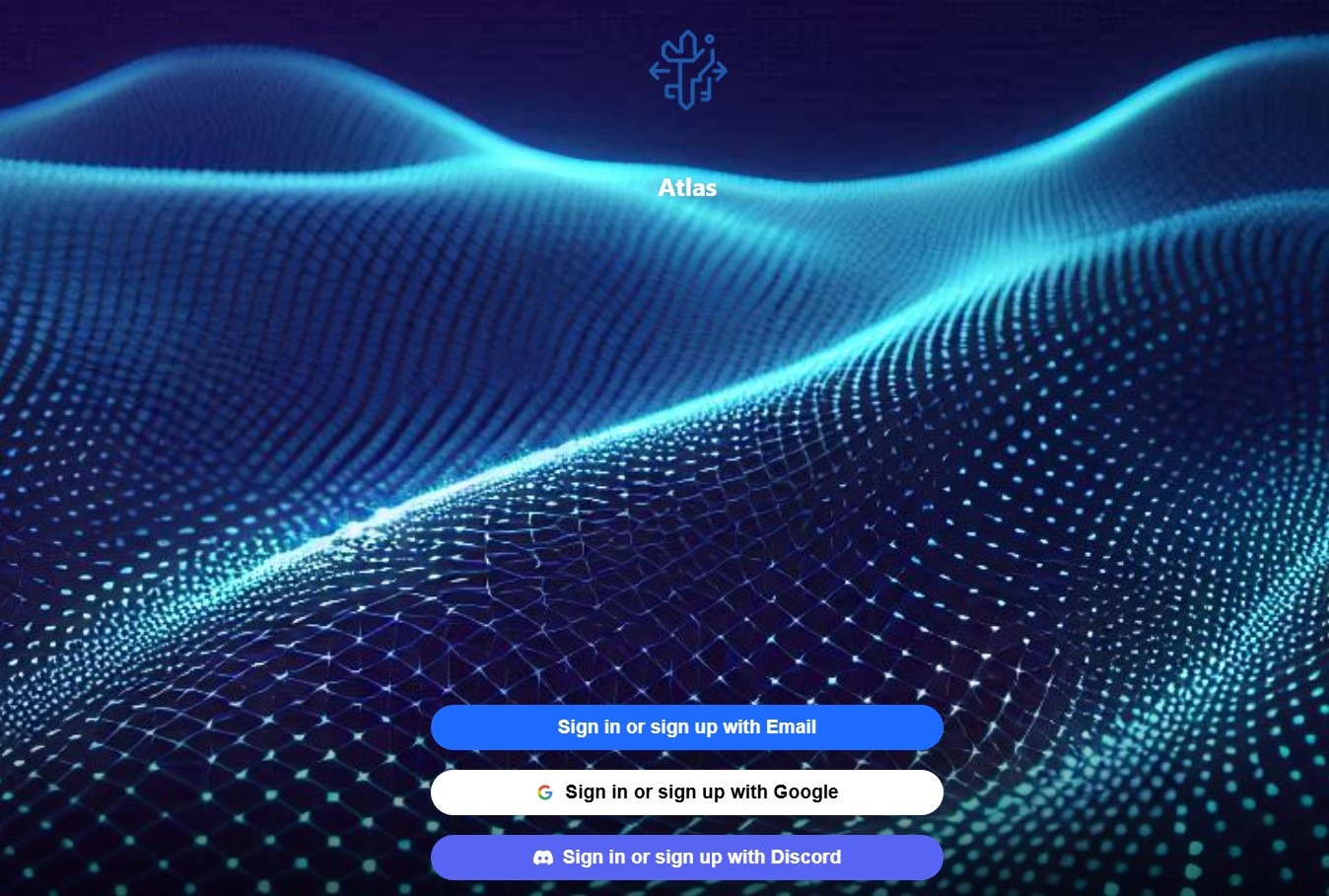
Sign In to Atlas
You'll be redirected to the Atlas login page. Sign in with Email, Google, or Discord.
6
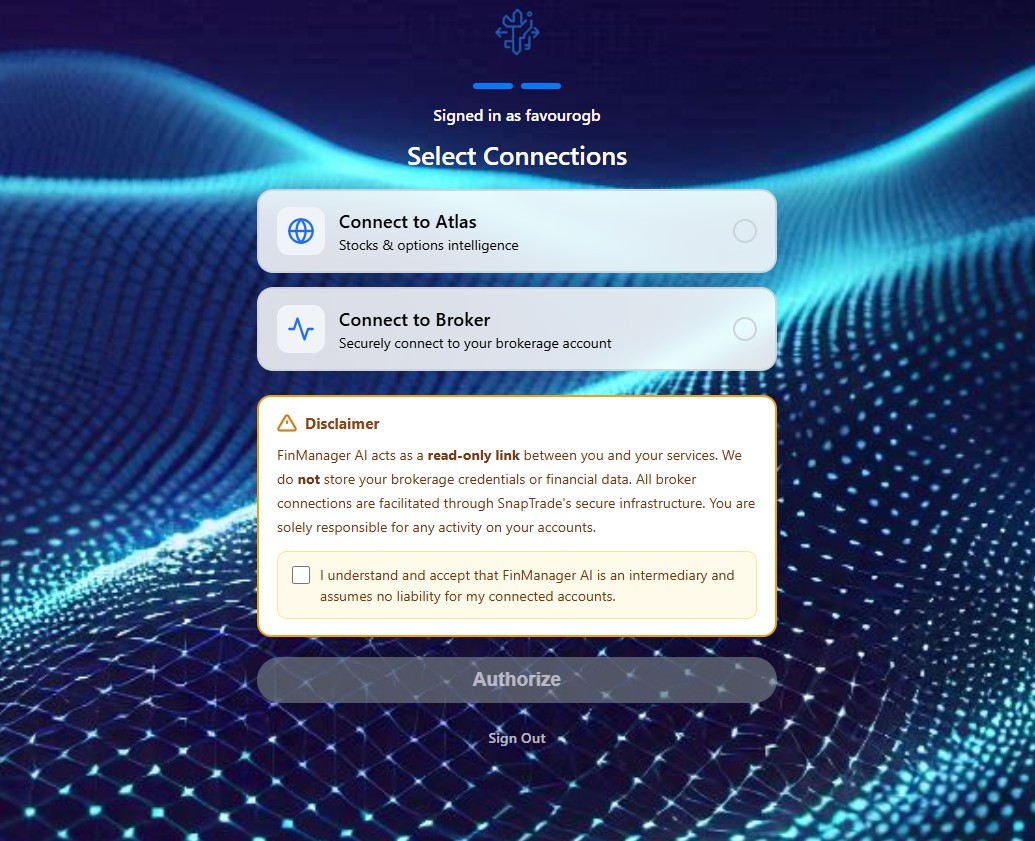
Authorize Connection
Select Connect to Atlas, accept the disclaimer, and click Authorize.
7
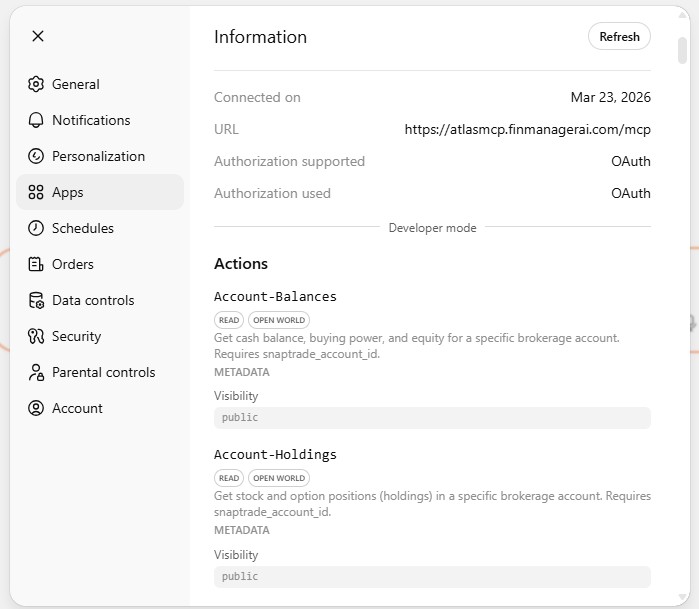
Verify Connection
You should see the Atlas app listed with its URL and available actions.
8
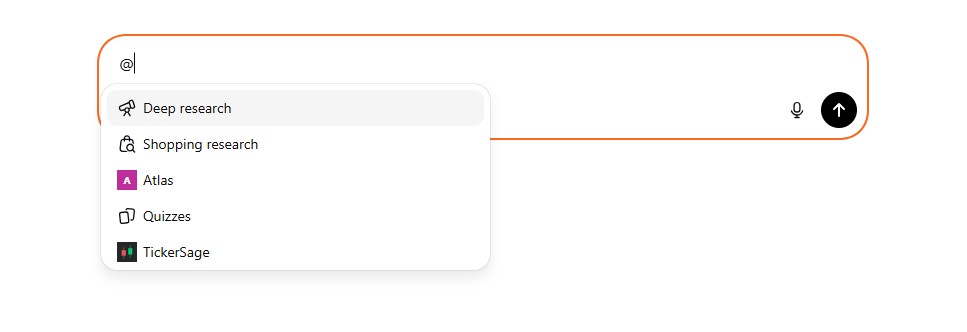
Use Atlas in Chat
In any chat, type @ and select Atlas from the menu to invoke it.
9
Get Live Insights
Ask Atlas anything — real-time stock quotes, fundamentals, financial analysis, options flow, and more.
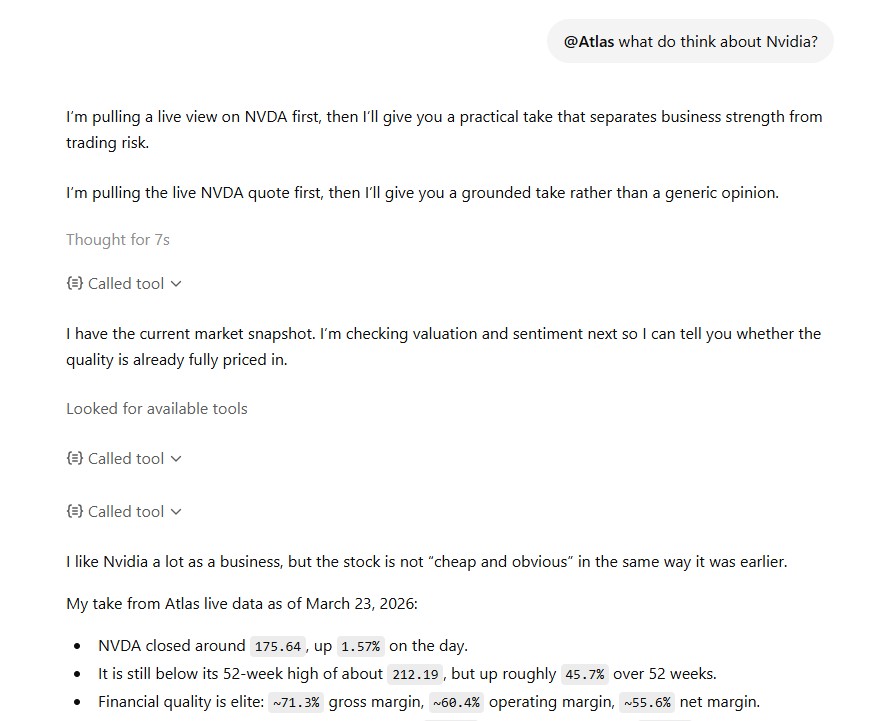
Please use the web version first at claude.ai, then you can use the apps.
1
Open Settings
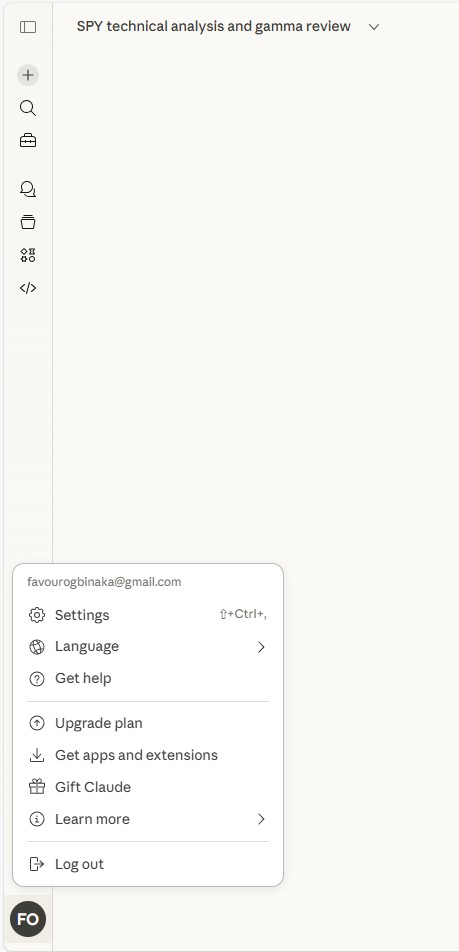
Click your profile icon in the bottom-left corner of Claude, then select Settings.
2
Go to Connectors
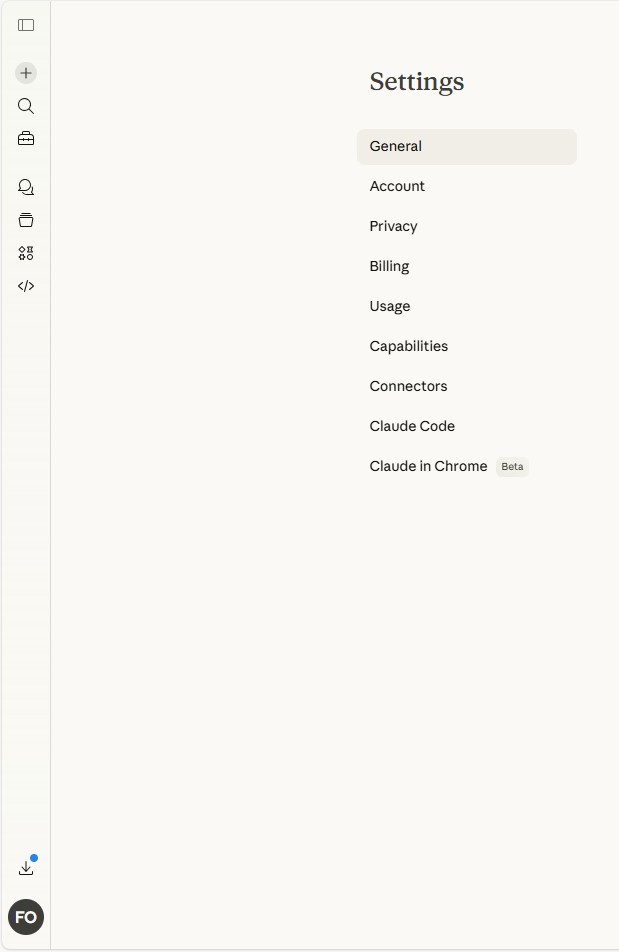
In the Settings menu, click Connectors in the left sidebar.
3
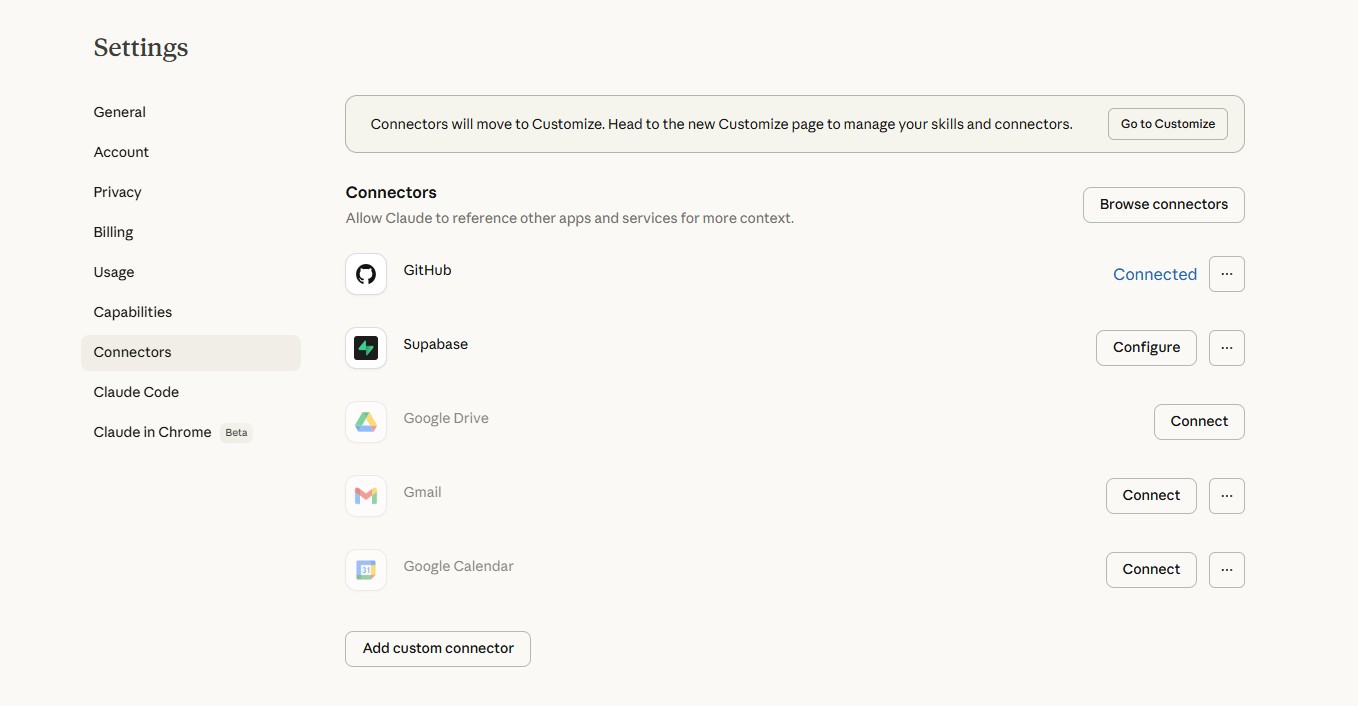
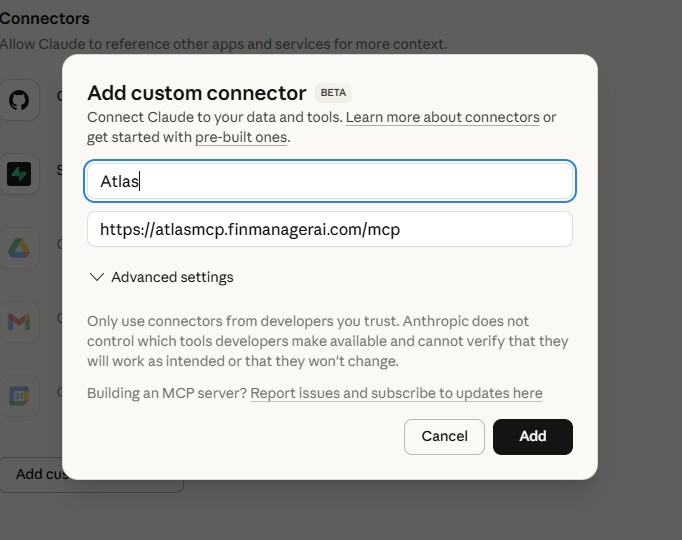
Add Custom Connector
On the Connectors page, click Add custom connector at the bottom.
4
Enter Atlas Details
Enter the connector details:
Name: Atlas
URL: https://atlasmcp.finmanagerai.com/mcp
Click Add.
Name: Atlas
URL: https://atlasmcp.finmanagerai.com/mcp
Click Add.
5
Sign In to Atlas
You'll be redirected to the Atlas login page. Sign in with Email, Google, or Discord.
6
Authorize Connection
Select Connect to Atlas, accept the disclaimer, and click Authorize.
7
Connect Atlas
Atlas will appear as a custom connector. Click Connect.

8
Verify Connected
Once connected, you'll see Configure instead of Connect.

9
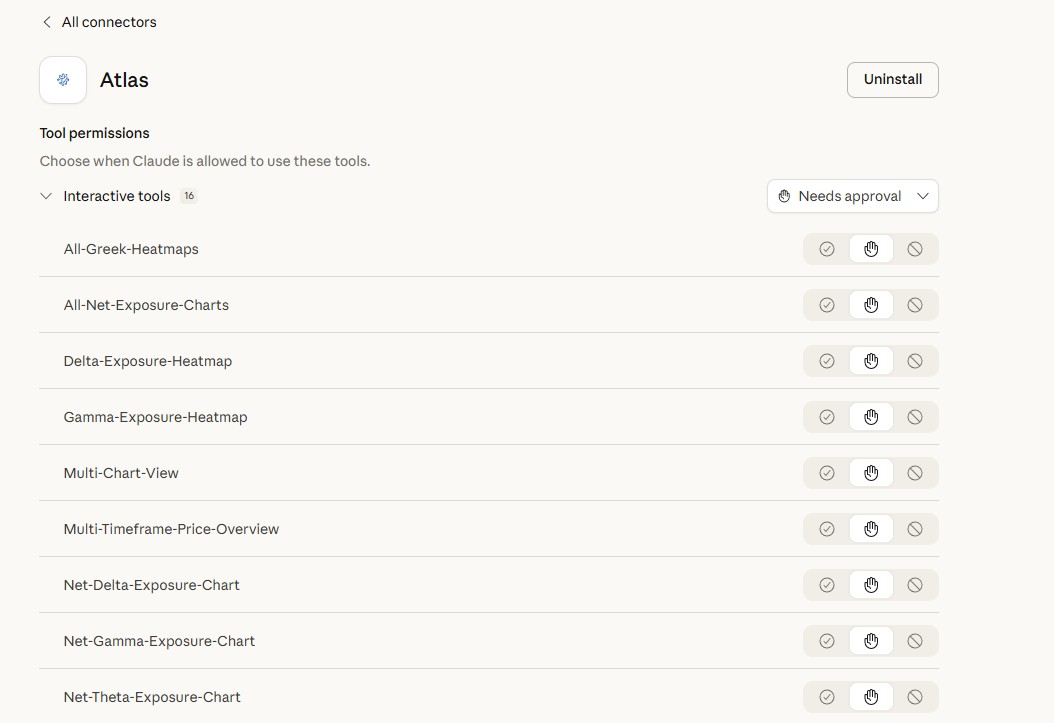
Set Tool Permissions
Click Configure to review Atlas tools and set permissions as needed.
10
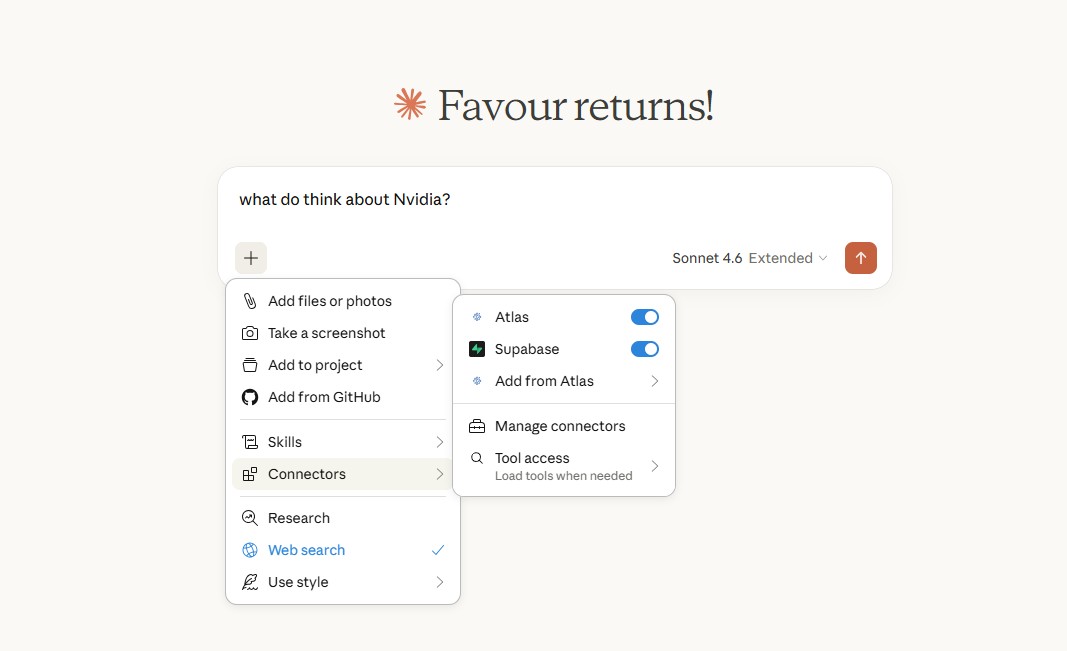
Enable in Chat
In a new chat, click the + button, go to Connectors, and toggle Atlas on.
11
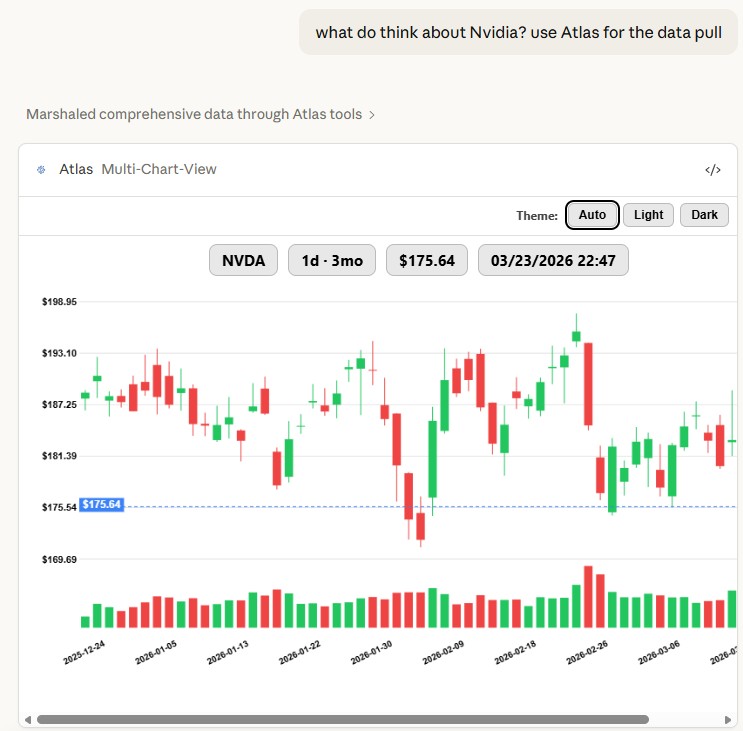
Get Live Insights
Ask Claude anything with Atlas enabled — stock quotes, fundamentals, charts, options analysis, and real-time market data.
1
Use Atlas in Chat
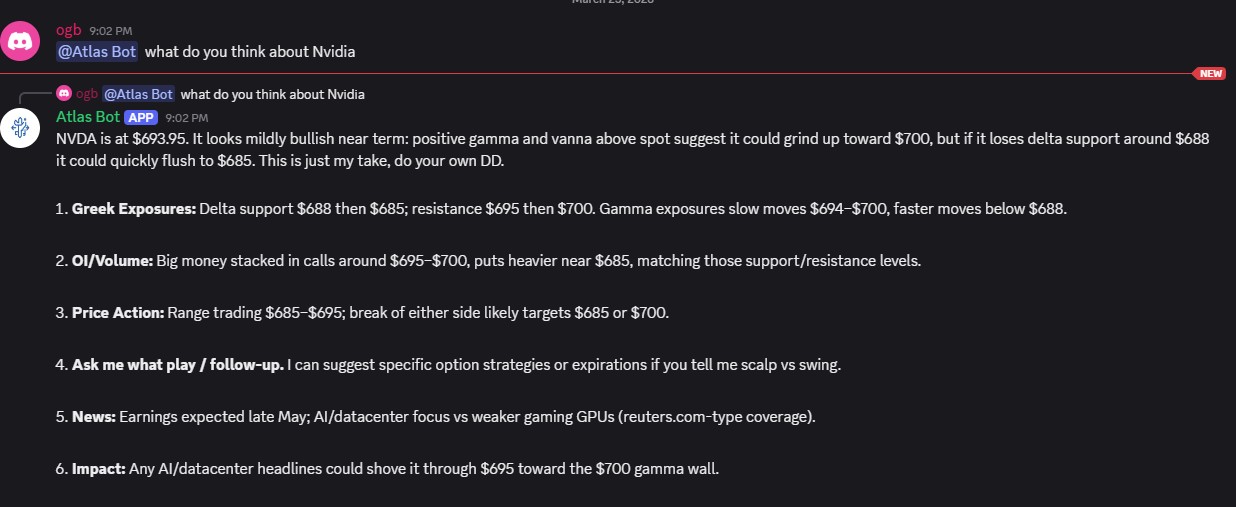
Once Atlas Bot is in your server, type @Atlas Bot followed by your question.
2
About Atlas Bot
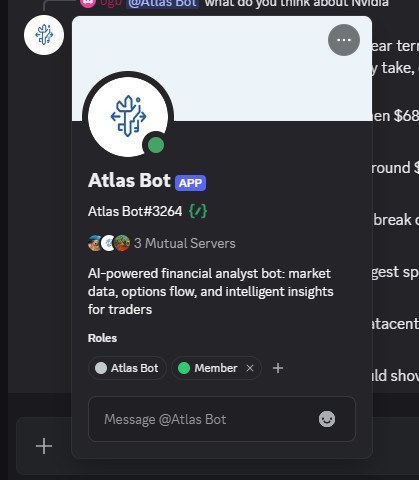
Atlas Bot is an AI-powered financial analyst — stock quotes, fundamentals, market data, options flow, and intelligent insights for traders.
3
Get Charts & Analysis
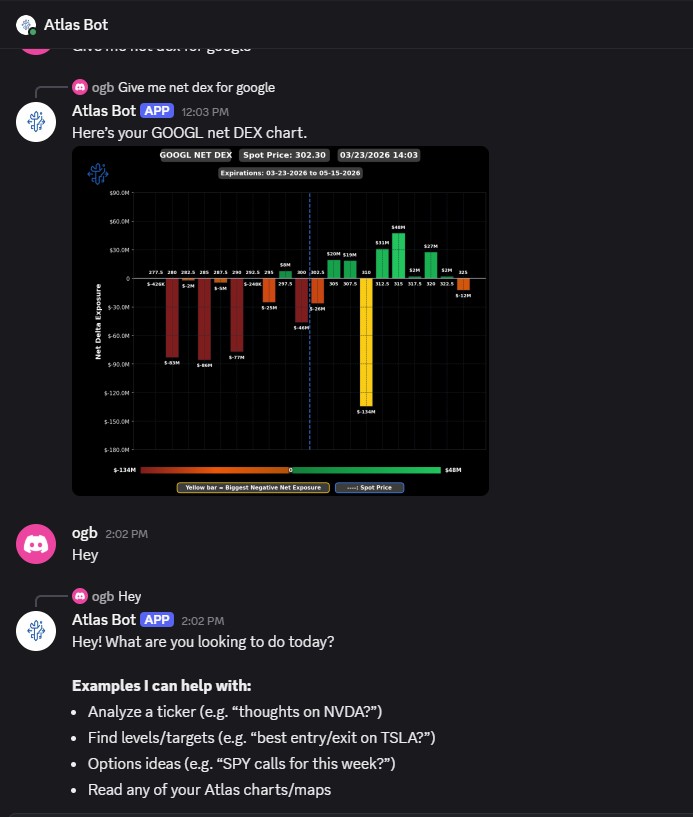
Atlas can generate charts, pull stock fundamentals, run options analysis, and answer follow-up questions right in Discord.
Disclaimer
FinManager AI connects to your brokerage through SnapTrade's secure infrastructure and does not store your brokerage credentials, account numbers, or financial data. Atlas only places trades that you have explicitly authorized — through the workflows, triggers, and broker permissions you set up — and you remain solely responsible for all activity on your brokerage account.
Loading your strategies...
 Atlas
Atlas1Templates
2Control
What setup do you want?
Workflow: Atlas checks the market on a schedule and performs an action. Strategy: a saved note you reuse whenever you want to analyze. Alert: Atlas DMs you on Discord when something happens. Trigger: Atlas places the trade once your price or condition is hit.
workflow
Intraday
SPY / QQQ / SPX intraday setups.
Options
workflow
GEX Sniper
Gamma support & resistance levels.
Options & stocks
workflow
Flow Hunter
Unusual sweeps, blocks & OI spikes.
Options & stocks
workflow
Swing Playbook
3-day to 3-week setups.
Stocks & options
workflow
Spread Builder
Defined-risk debit & credit spreads.
Options spreads
trigger
Trade Desk
Stage orders for you to place in a tap.
Stocks & options
alert
GEX Alert
Greek-exposure king node moves, DM'd to you.
Options & stocks
alert
Technicals Setup Alert
Indicator crossovers, DM'd to you.
Stocks & options
alert
Top 20 Flow Alert
Top 20 flow leaderboard changes, DM'd to you.
Options & stocks
workflow
Morning Market Brief
Your daily market + watchlist brief.
Stocks
strategy
Fundamentals
Deep-dive a company's financials.
Stocks
strategy
Smart-Money Tracker
Track insiders, institutions & Congress.
Stocks
strategy
Options Strategist
Read the chain, greeks & expected move.
Options
Your computers
Loading…
Loading the marketplace…
Appearance
Dark mode
Slide between the light and dark look.
Subscription
Loading...
Linked Accounts
Discord
Sync your subscription across platforms
API / CLI / MCP Key
Bearer token for the REST API, the CLI, or an MCP client (ChatGPT, Claude, Discord). Treat it like a password.
Danger Zone